Self coached:
you own the plan.
The AI coach reviews it.
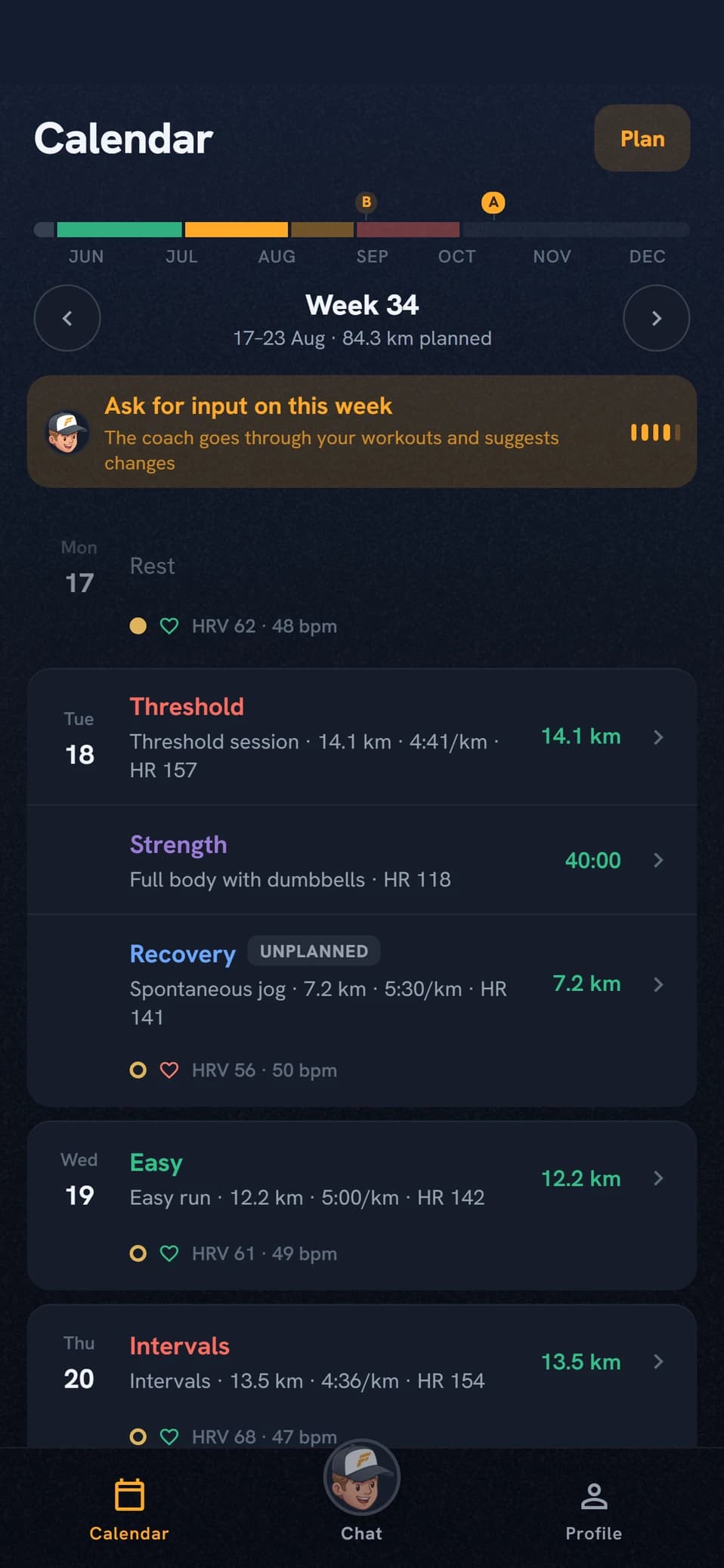
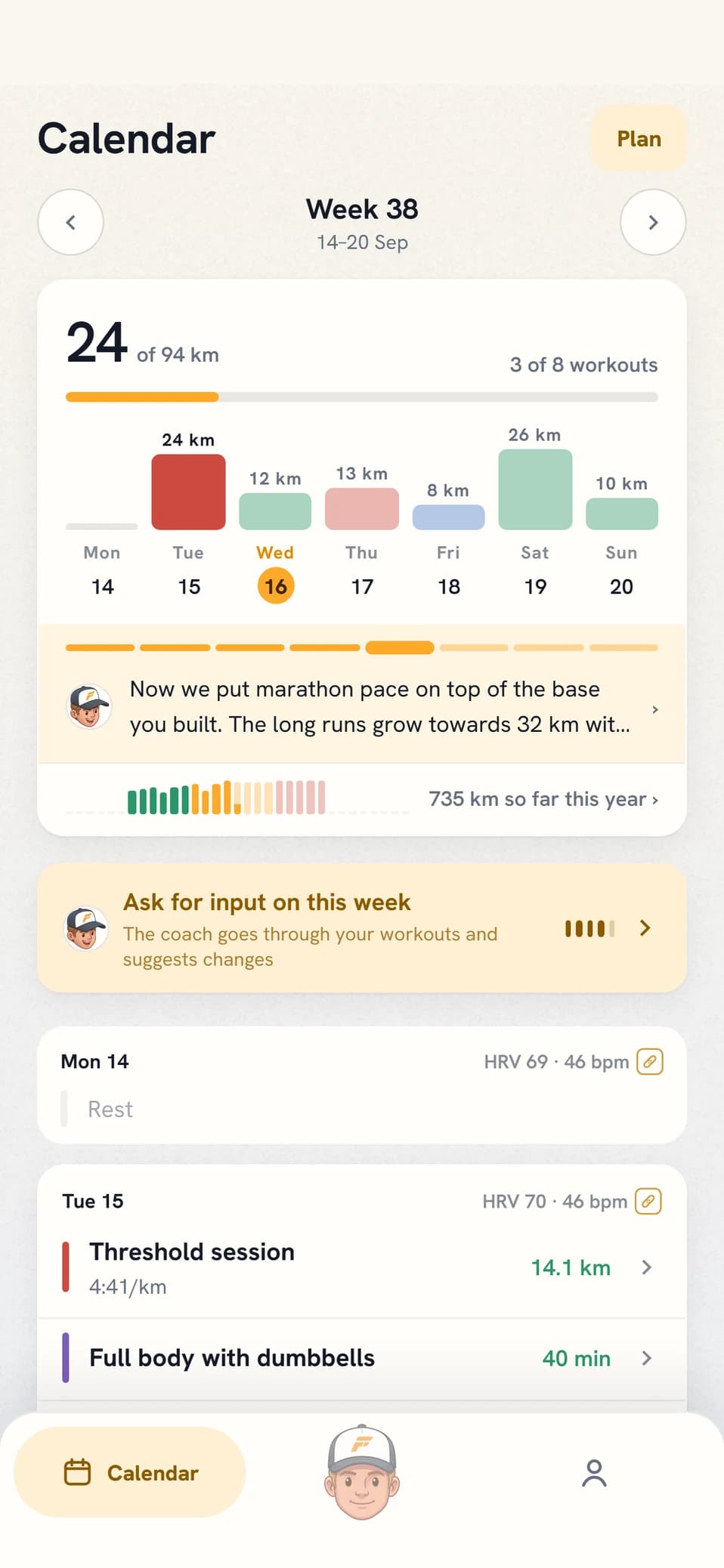
Most coaching apps work one way: the app writes the plan and you follow it. Self coached turns that around. You build every training week yourself in the calendar, and the coach reads your plan, checks the load, and speaks up when something looks risky.
HOW IT WORKS
Four steps, then the week is yours
STEP 1 · YOUR MODEL
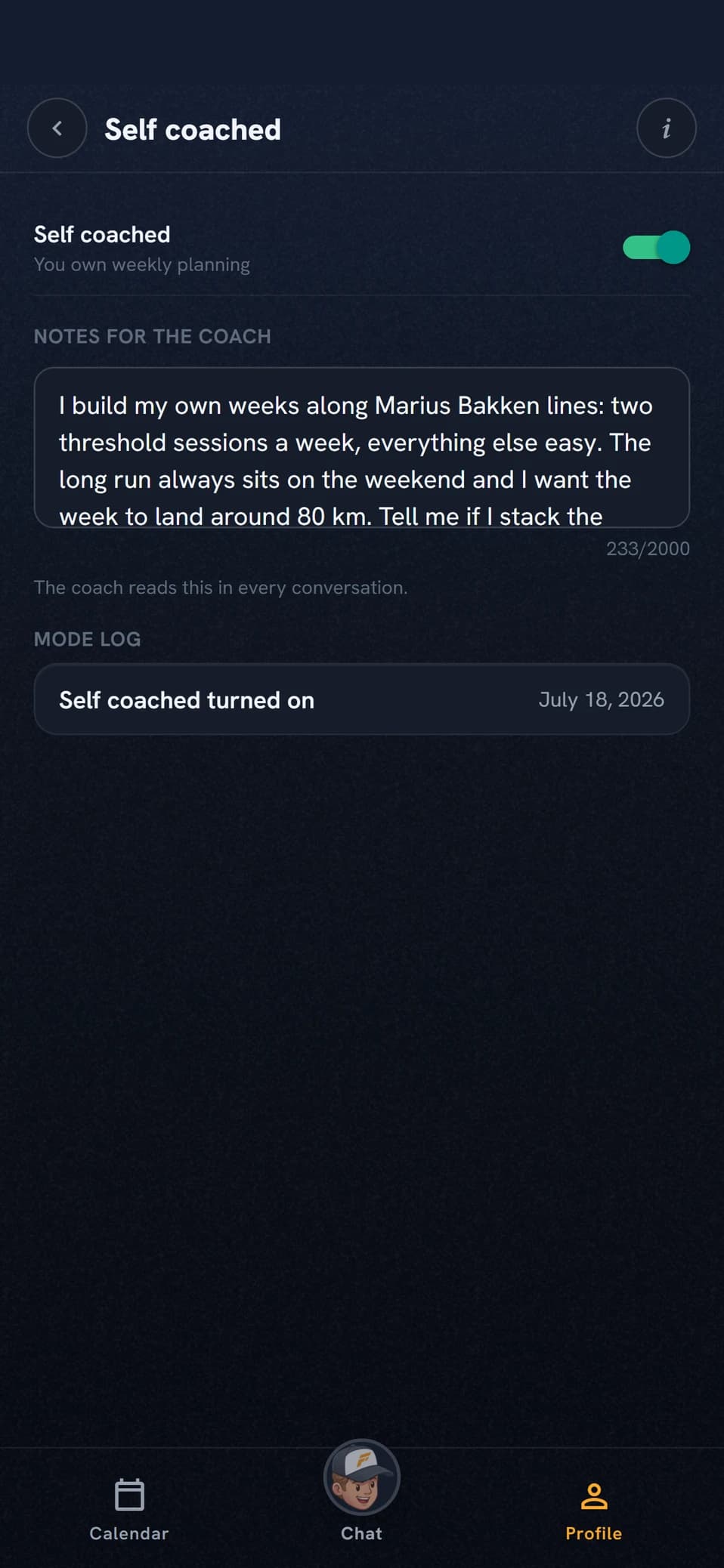
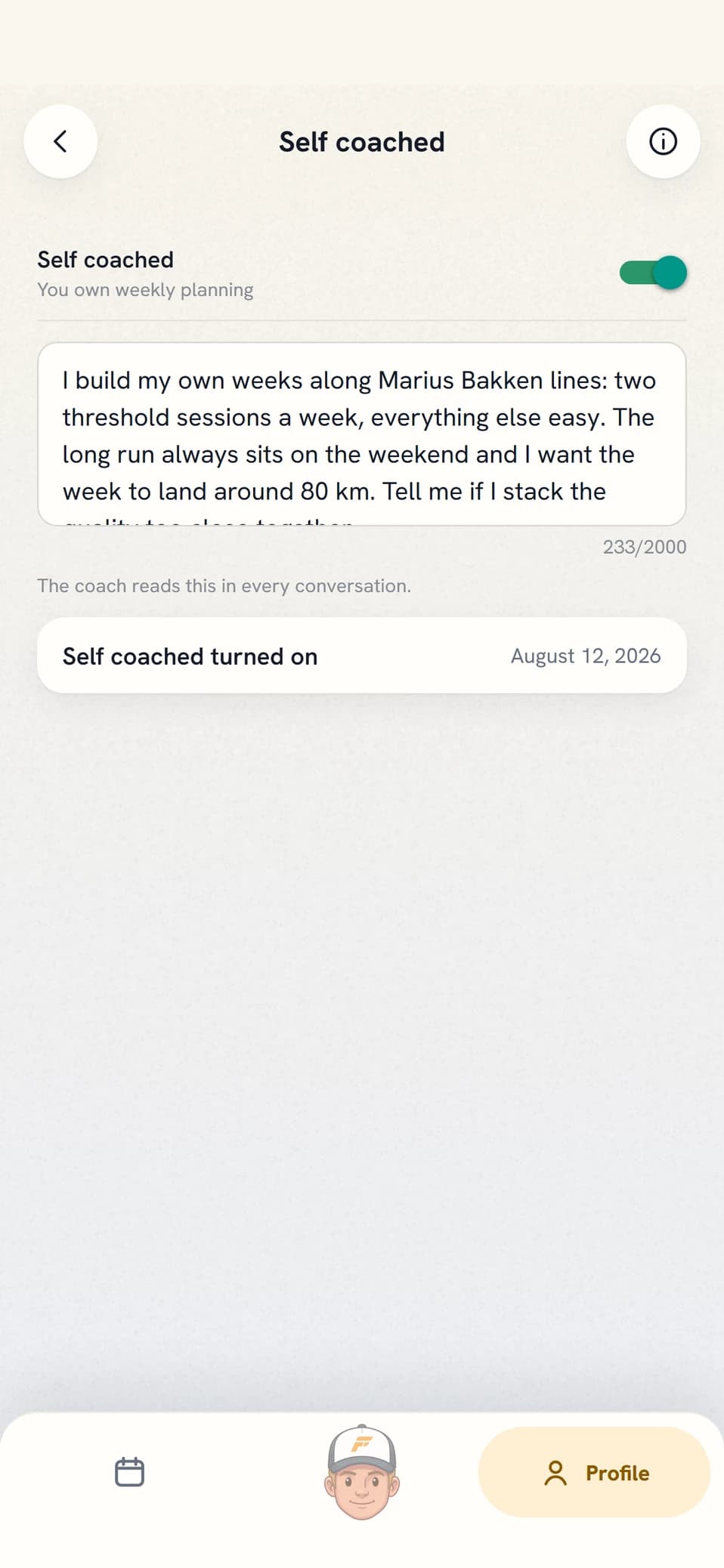
You tell the coach how you train
The coach gets your training philosophy in your own words: two threshold sessions a week, the long run on Sunday, volume around 80 km, keep your hands off my Fridays. If you follow Bakken, Pfitzinger, or something you have put together over the years, that is the model it works from rather than a template from the app. The coach reads it before saying anything about your week.
STEP 2 · BUILD YOUR WEEK
The whole build is laid out in front of you
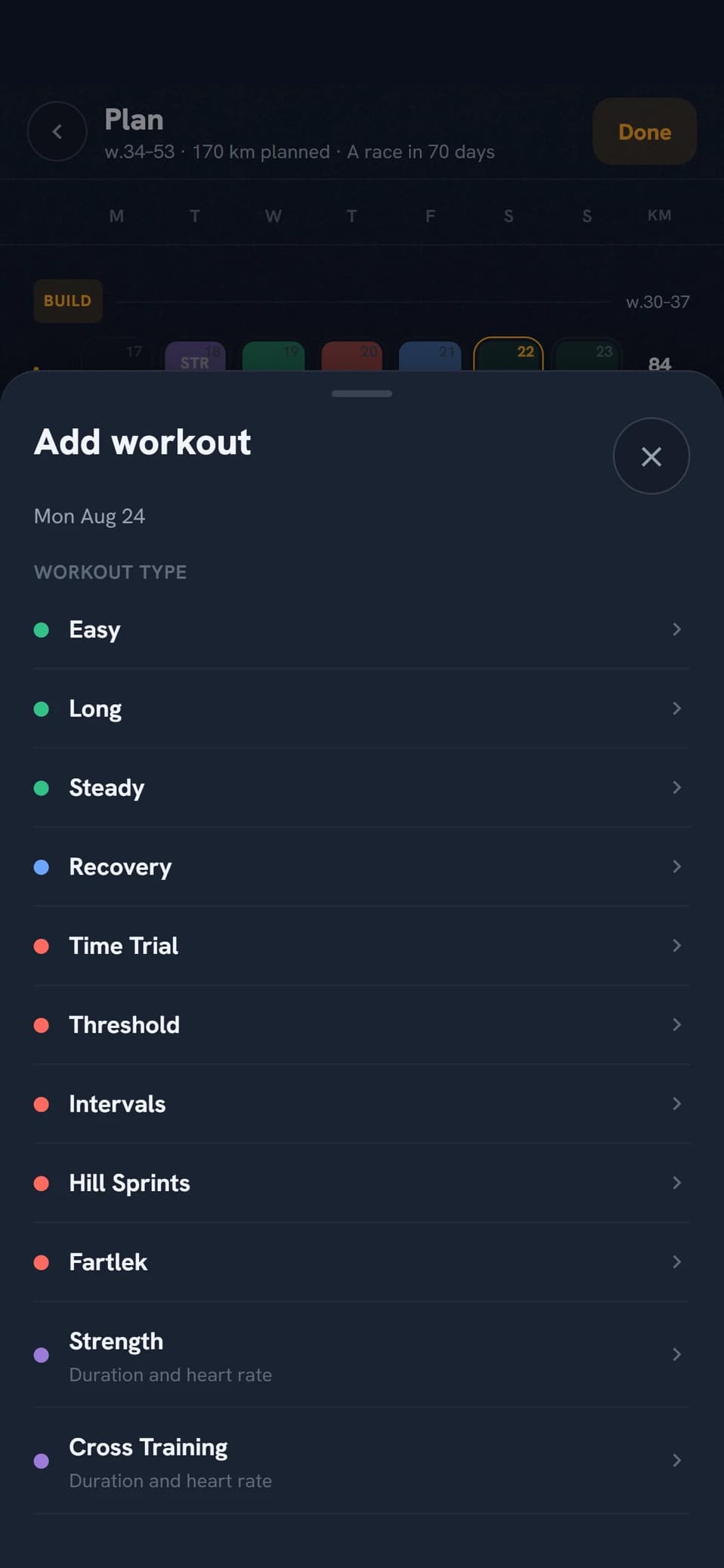
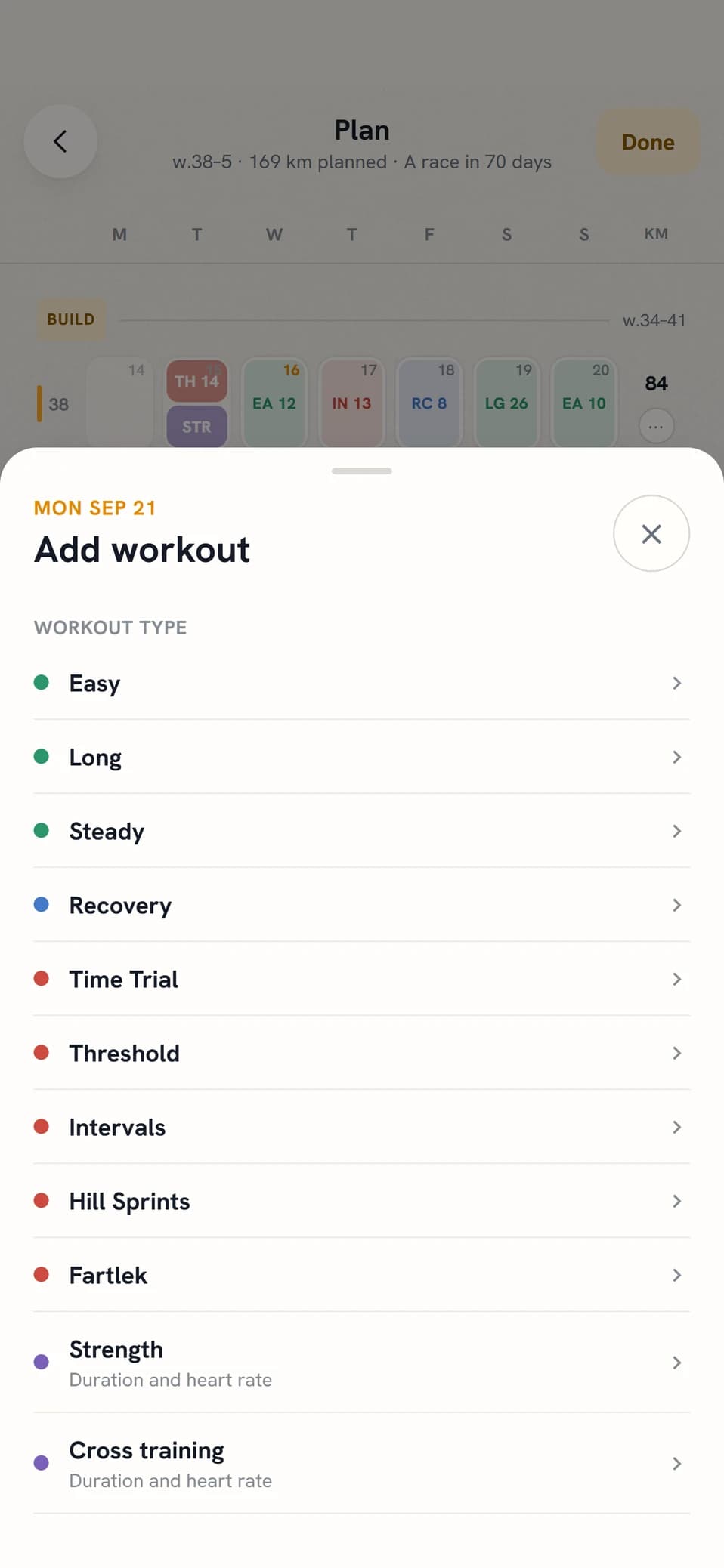
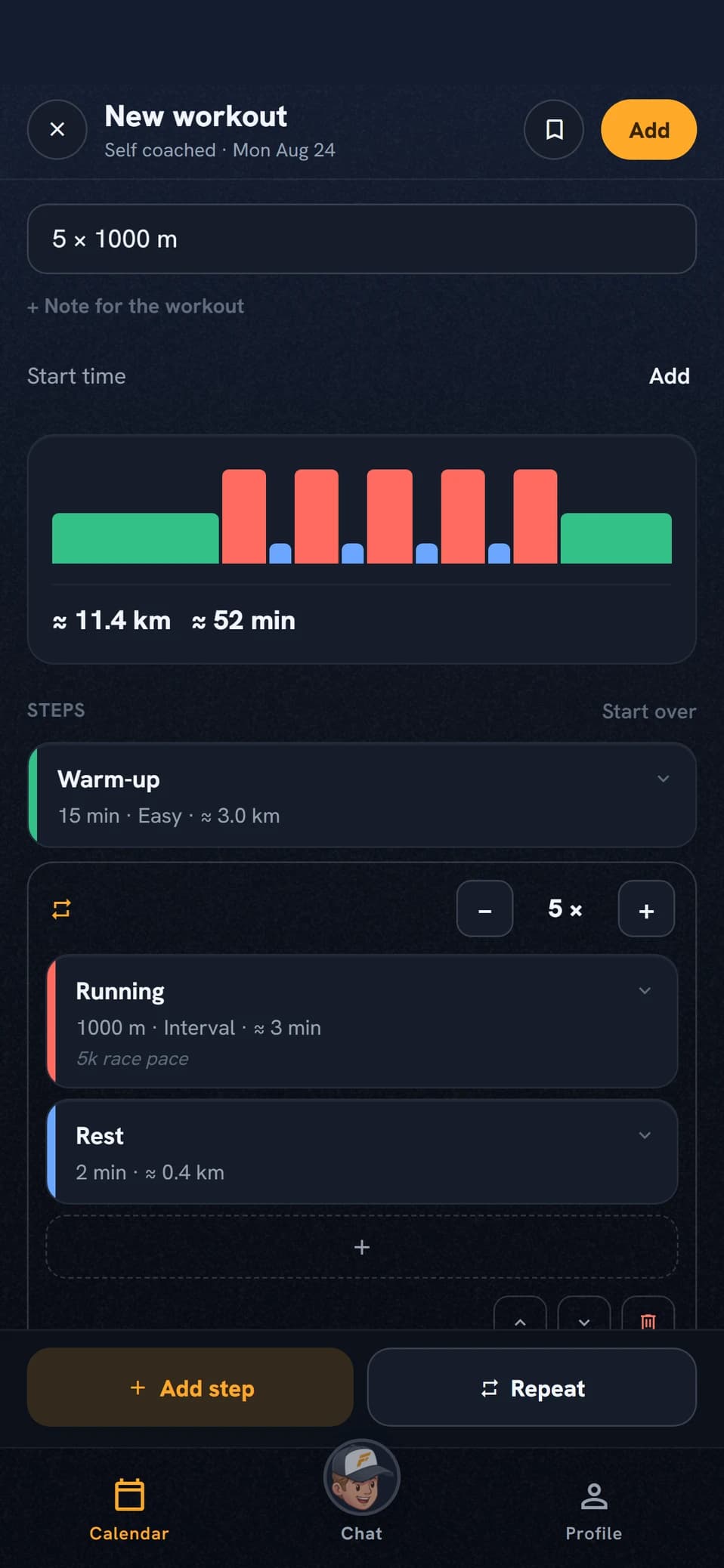
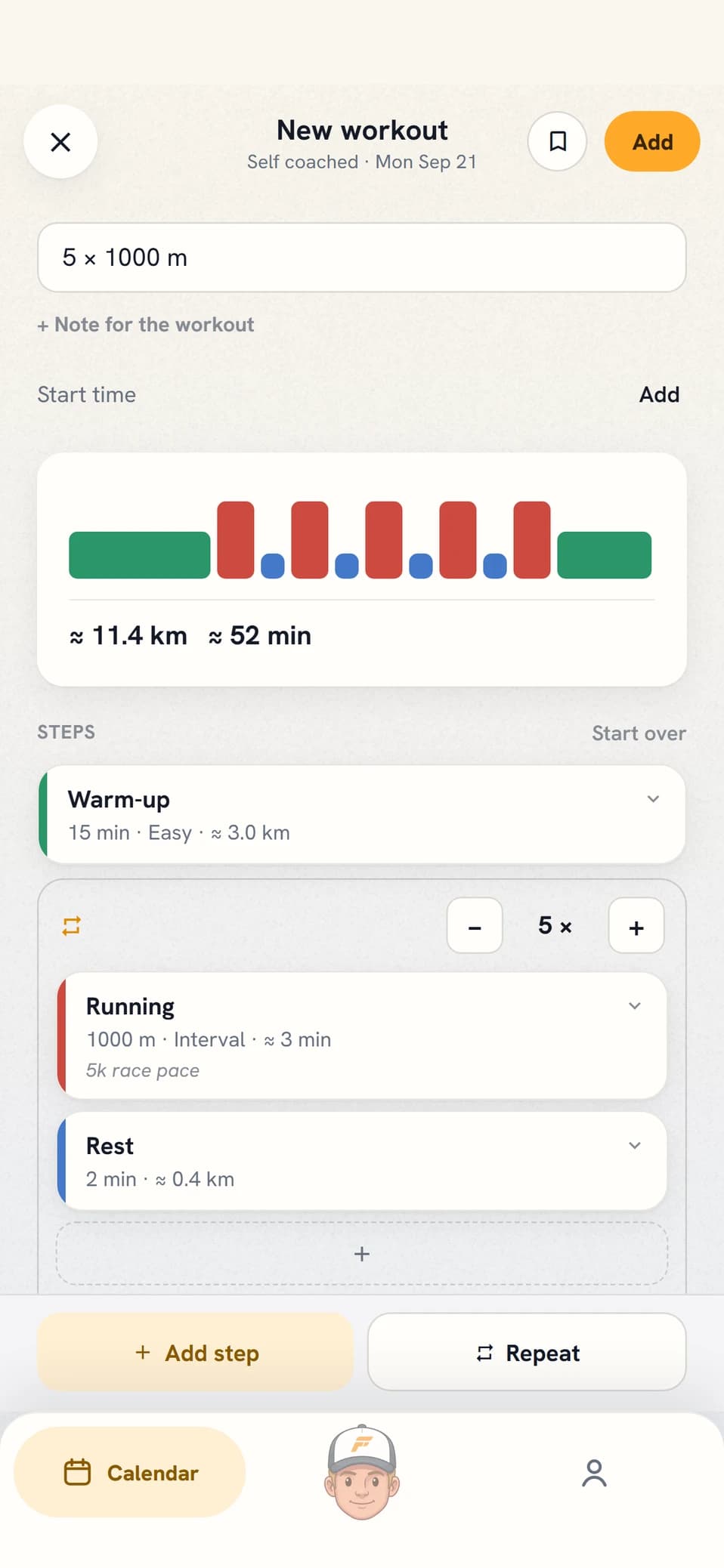
You see 20 weeks at a time with the blocks from your plan, so a full build can be laid out in one go instead of pieced together week by week. Tap a day to set the workout type and distance, or take a ready-made classic like 5×1000 m. Intervals you build step by step and save as a template once you find a session worth running again. A week that worked, you copy forward.
STEP 3 · WORKOUTS REACH YOUR WATCH
Structured, on your wrist
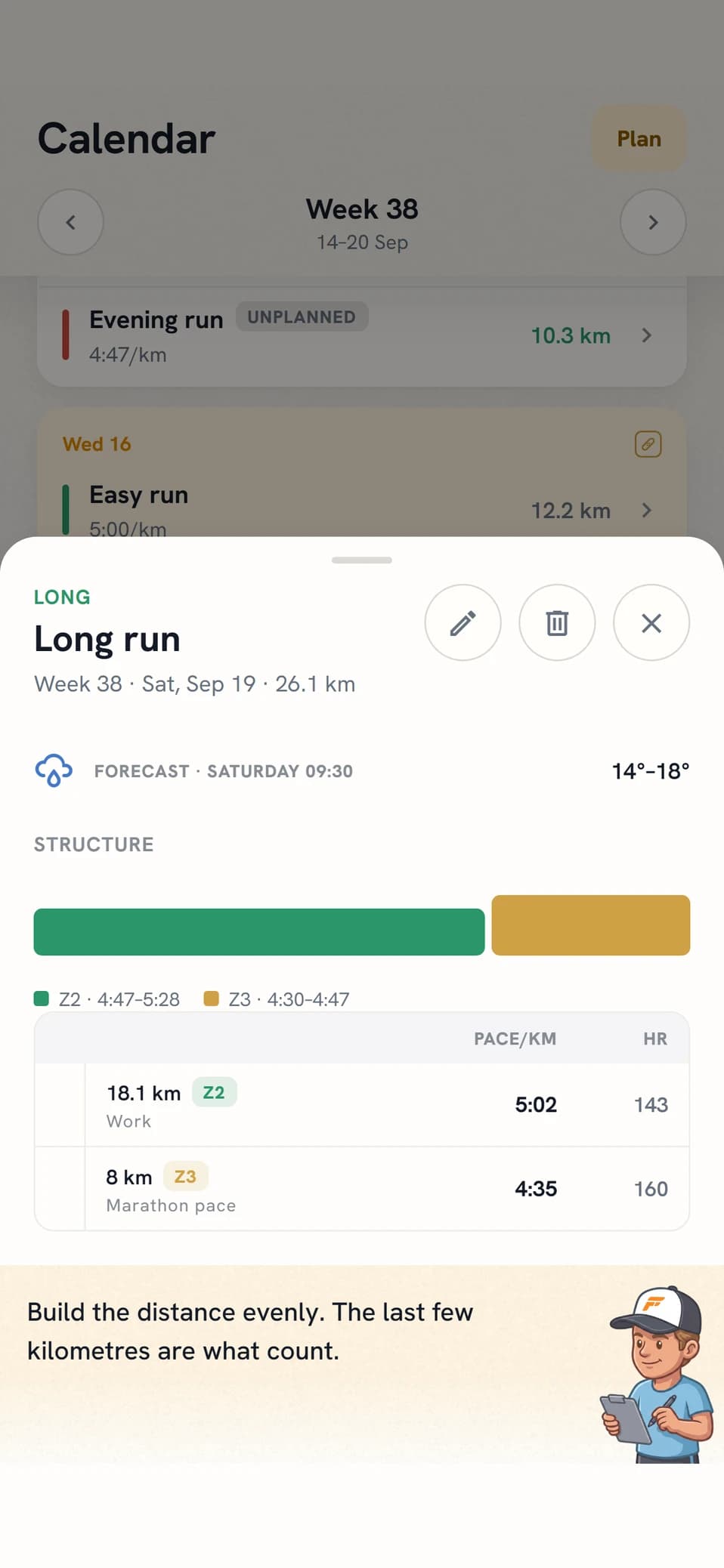
Your workouts travel the same way as the coach’s: structured to your watch via Intervals.icu, with segments, distances, and zones. You start the workout on the watch as usual, and once it is done the result syncs back and the coach analyzes it.
 The workout you built yesterday beeps on your wrist today. No manual export.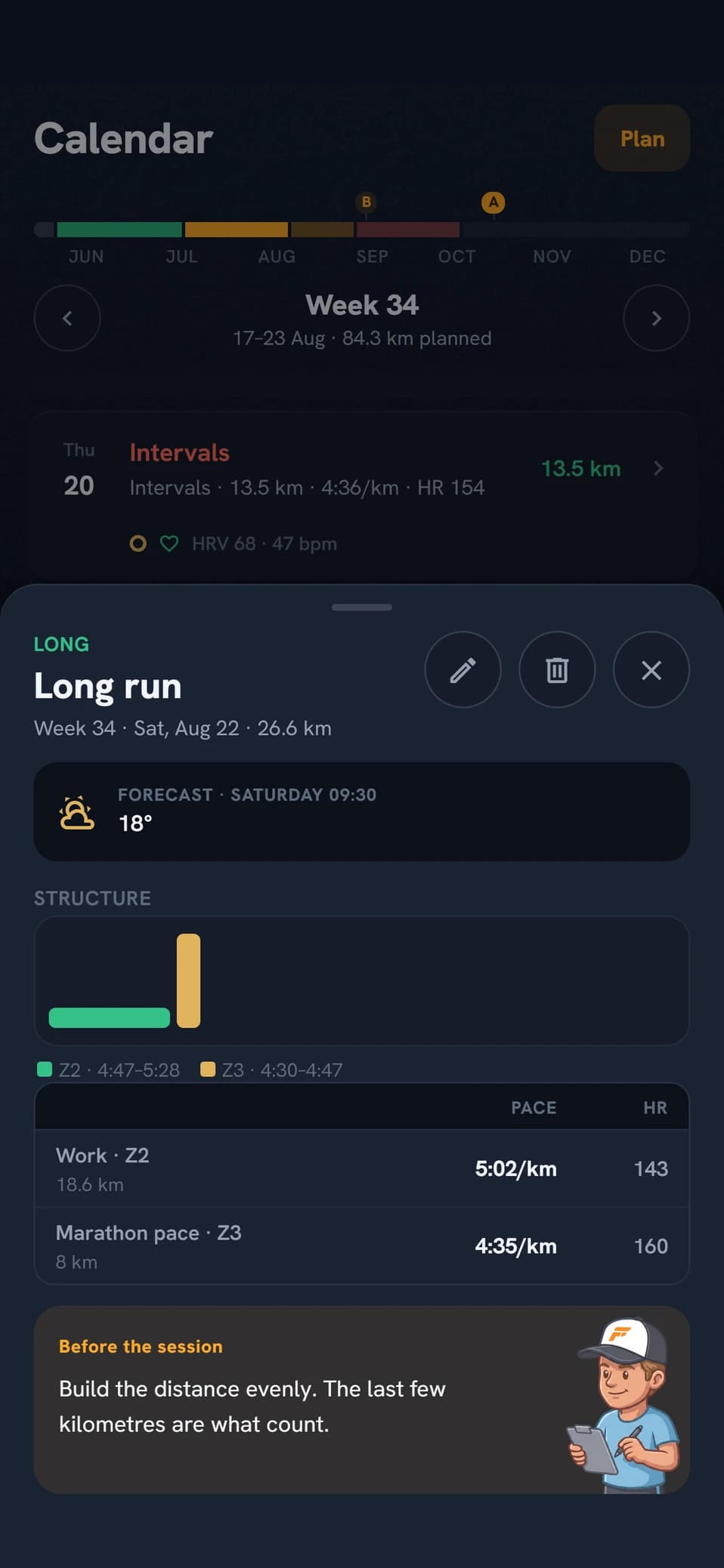
STEP 4 · THE COACH REVIEWS
Suggestions you approve line by line
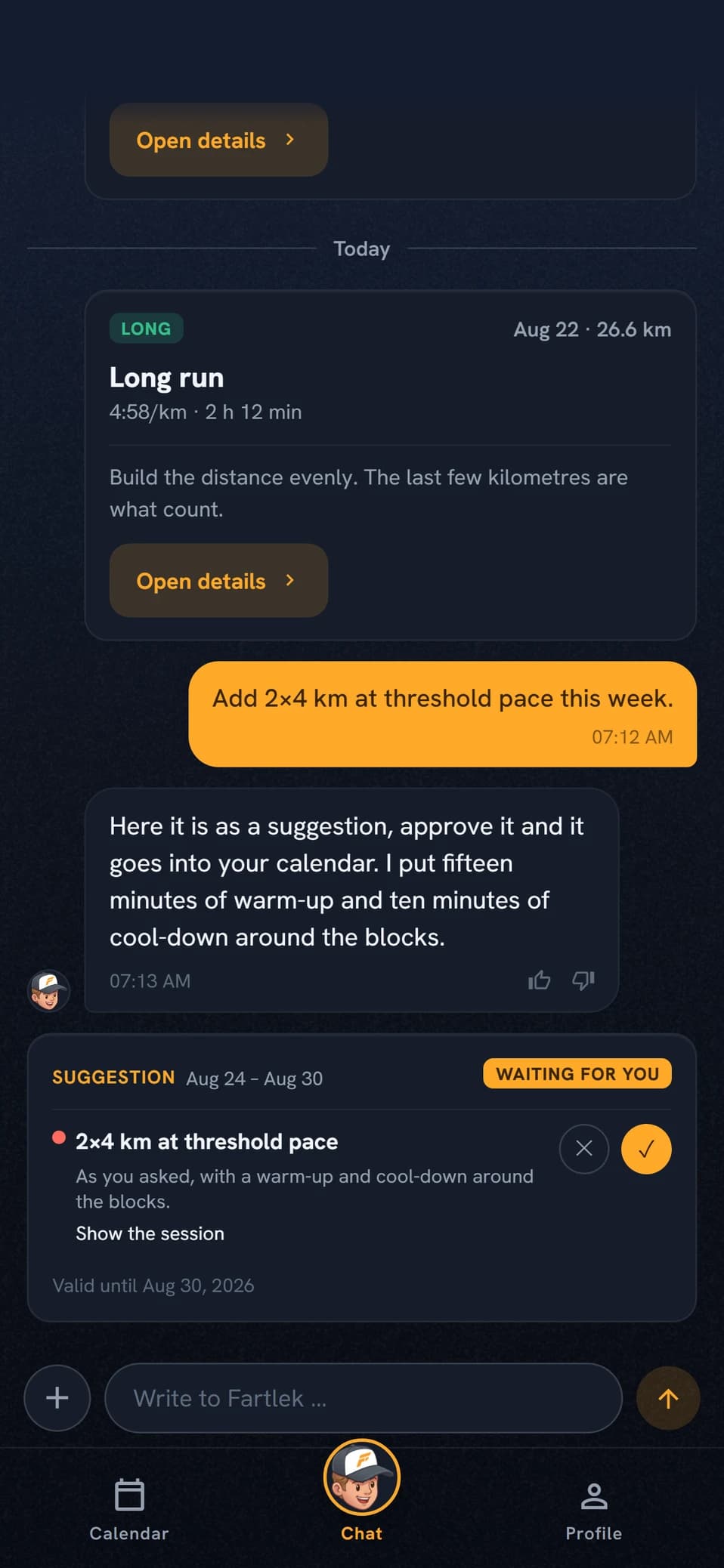
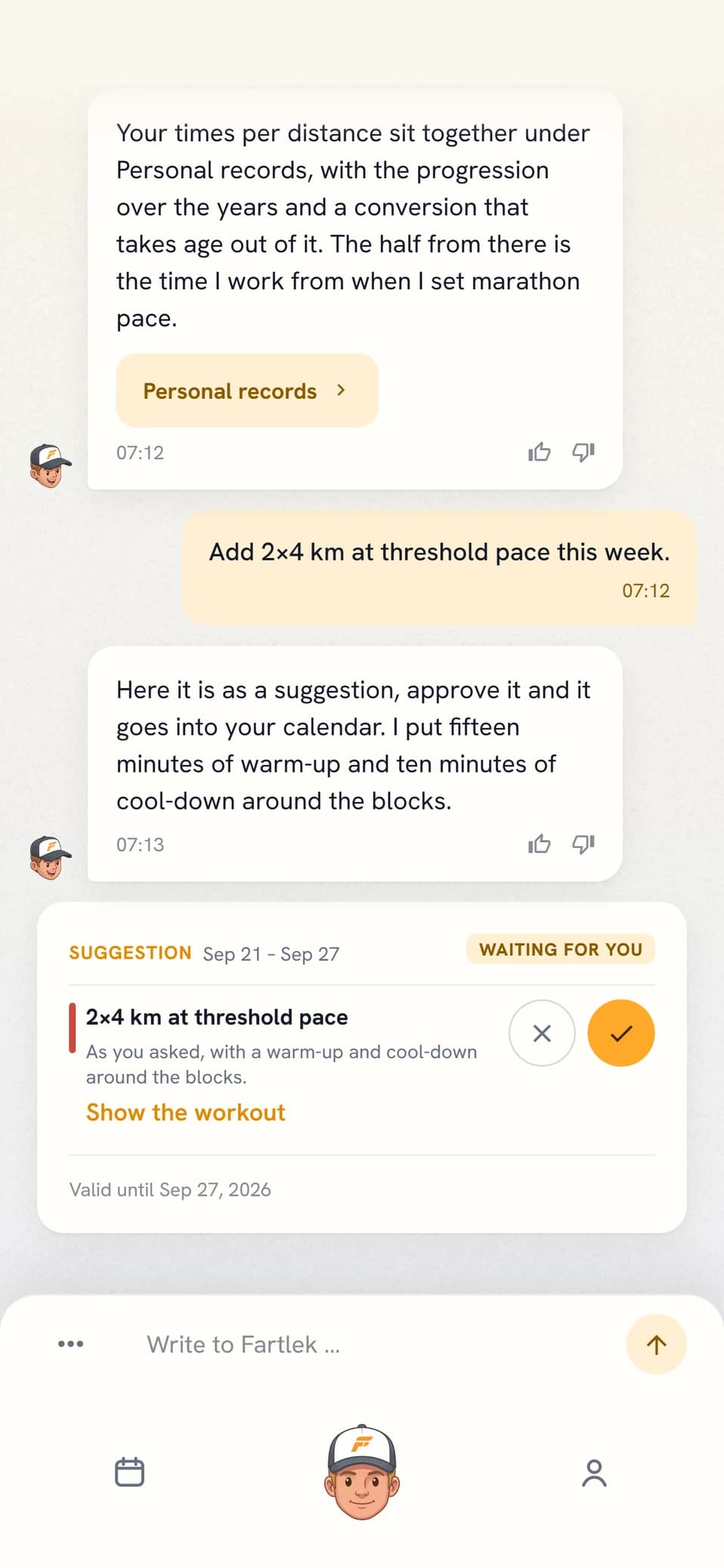
Before every new week, the coach goes through what you have planned and sends a week review as a suggestion card in chat. Each line is approved or declined on its own. You can ask for input whenever you want, and you can dictate: write "add 2×4 km threshold tomorrow" and the coach replies with a card you approve with one tap. Nothing enters the calendar without your approval.
THE COACH’S ROLE
The coach does not stop coaching
The mode changes who holds the pen, nothing else. This stays with the coach:
Block structure and season
The road to your A race remains as the frame around your weeks.
Training zones
Thresholds and zones are estimated continuously from your history.
Workout analysis
Every completed workout is reviewed as usual.
Recovery advice
HRV, resting heart rate, and sleep feed into every suggestion.
Daily check-ins
The coach reaches out before and after your workouts.
WHO IT’S FOR
Is the mode for you?
Self coached fits you if youELITE
- already know roughly what your week should look like
- want to test an idea of your own without negotiating with the app first
- would happily take a second pair of eyes on the load before the week starts
Not sure? Start in the regular mode. You can take over the planning whenever you want, and hand it back just as easily.
The regular mode fits you if you
- want to open the app and find the week ready
- would rather answer the coach’s questions than build workouts yourself
- want the plan adjusted for you when life gets in the way
If you want the coach to handle the planning, the regular mode is the right choice. That is how most people run.
Self coached requires Elite
The mode is part of Elite, the tier with the most energy per week. The week review is part of the coach’s normal rhythm and costs no energy. Asking for extra input in between costs energy, like anything else you ask the coach. If you leave Elite, the coach takes over the planning again, and your workouts stay in the calendar.
See pricing and tiers →FREQUENTLY ASKED QUESTIONS
Questions about self coached
Can I switch back and forth between the modes?
Yes, whenever you want. Turn the mode off and the coach takes over the planning again, with your weeks arriving ready as before.
What happens to my plan when I turn the mode on?
Nothing is removed. The workouts already in your calendar stay, and the block structure keeps framing your season. The difference is that the coach stops changing the calendar. From that moment, every change is yours.
Does the watch push work for workouts I built myself?
Yes. Your workouts are sent structured via Intervals.icu, the same way as the coach’s, with segments, distances, and zones. That covers workouts from the library, from the workout builder, and your saved templates.
Does the coach’s review cost energy?
The week review before every new week is included and costs no energy. Asking for an extra review, or dictating workouts in chat, costs energy like anything else you ask the coach.
Can the coach change anything in my calendar?
No. All input arrives as suggestion cards in chat, and nothing is entered until you approve the line. That also holds when you dictate a workout: you get a card and approve it with one tap.
Do I have to write a training philosophy?
No, the field is optional. But it is what the coach reads before giving input, so a few lines about how you want to train make the suggestions better.