The guide to the whole app
The mechanics behind the app, chapter by chapter. How the season is built, when the week gets rewritten, what the coach calculates from and what energy is spent on. Read it in order or jump to what you are wondering about.

CHAPTER 01
Getting started
Account, language, consent and a short screen about you: your running level is required, gender, birth year and home town are optional. Then you land in chat, where a checklist sits at the top while the coach syncs your history, estimates your zones and writes the first plan.
 Chat
Chat- Connect Intervals.icuREQUIRED
- Sync your historyAUTO
- Add races you have runREQUIRED
- Training zonesAUTO
- Add a race you are training forREQUIRED
- Set your goalREQUIRED
- Training preferencesREQUIRED
- Adjust your availabilityREQUIRED
- First planAUTO
No step counter, but the items depend on each other. An item ticks off because the data exists, so a skipped item still completes when you do the thing later, and skipping counts as an answer. None of them is optional: everything above First plan has to be settled before it gets built. Three of the rows the server handles itself, and races you have run stays locked until your history is in, because finish times are what the zones are calculated from. The lock releases itself.

- I want to run the Stockholm Marathon in November
- I can only train in the mornings
CHAPTER 02
Chat
Chat is the home screen and the way into the plan. What you ask for happens in the same reply.
- Workouts come to youA synced workout lands as a card on its day with the analysis underneath. It is written when the workout is uploaded, not when you ask for it.
- It writes in the calendarCreate, change and delete planned sessions. Races, goals, training preferences, equipment and injuries go the same way. Availability it only touches when you say so outright.
- What it answers fromWorkouts, zones, HRV, resting heart rate, the plan, the health log and the latest planning decisions. On top of that come the coach’s own conclusions about you: what it is prioritising right now and when it will revisit that, how you in particular need to be planned, and what it still only suspects and is watching. Beyond that it searches your chat history, with no limit on how far back.
- Important questionSends the question to a heavier model, with room to read up properly before answering. The option requires Elite. It costs double energy, and you get a thorough answer, not a replan: the plan only changes if you explicitly ask.
- The conversation is browsableScroll away from the present and a pill tells you which day you are reading. It opens a calendar of every week since your first day of chat, with that week’s running volume and health marks on the row. A past day with a conversation opens it, a day with a race opens the race. "Back to today" takes you back, and so does a message you send.
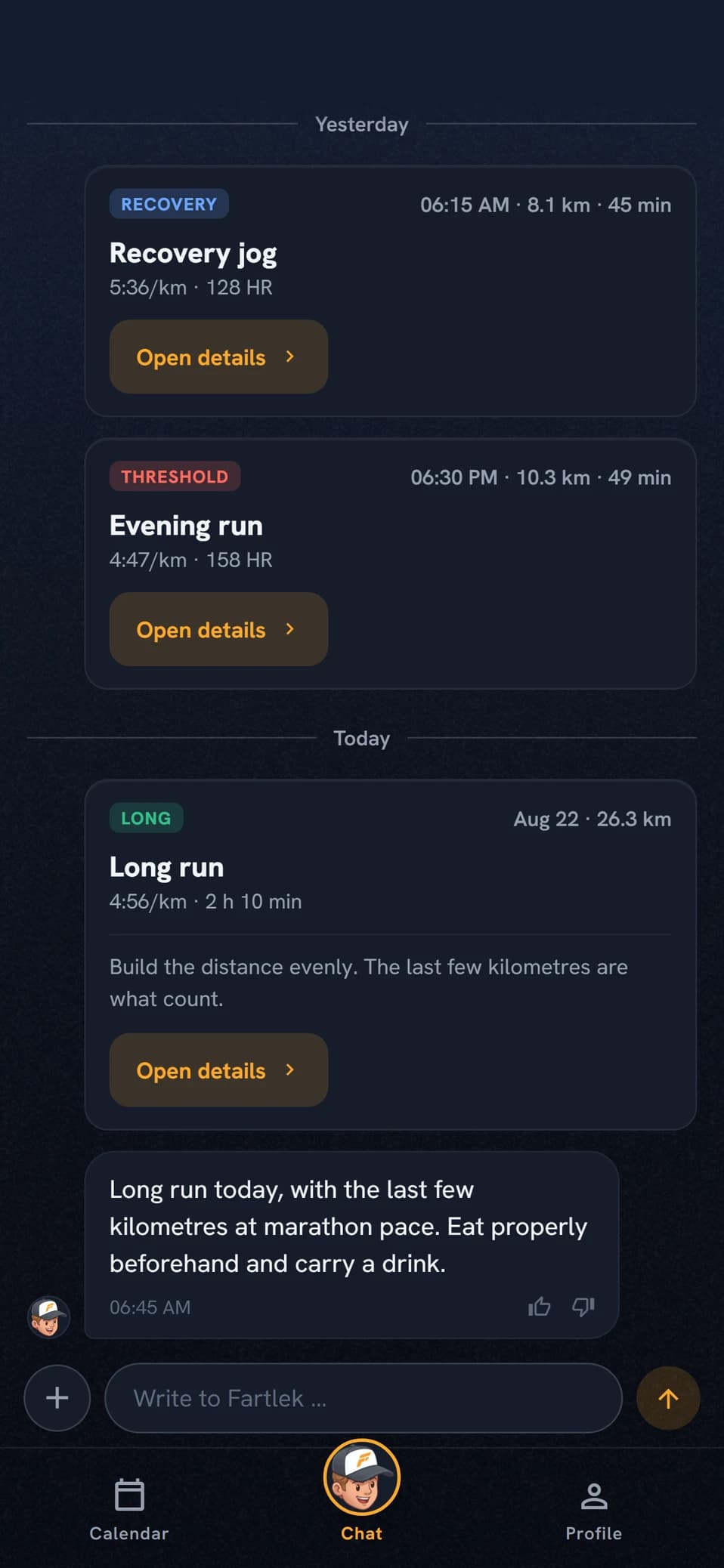
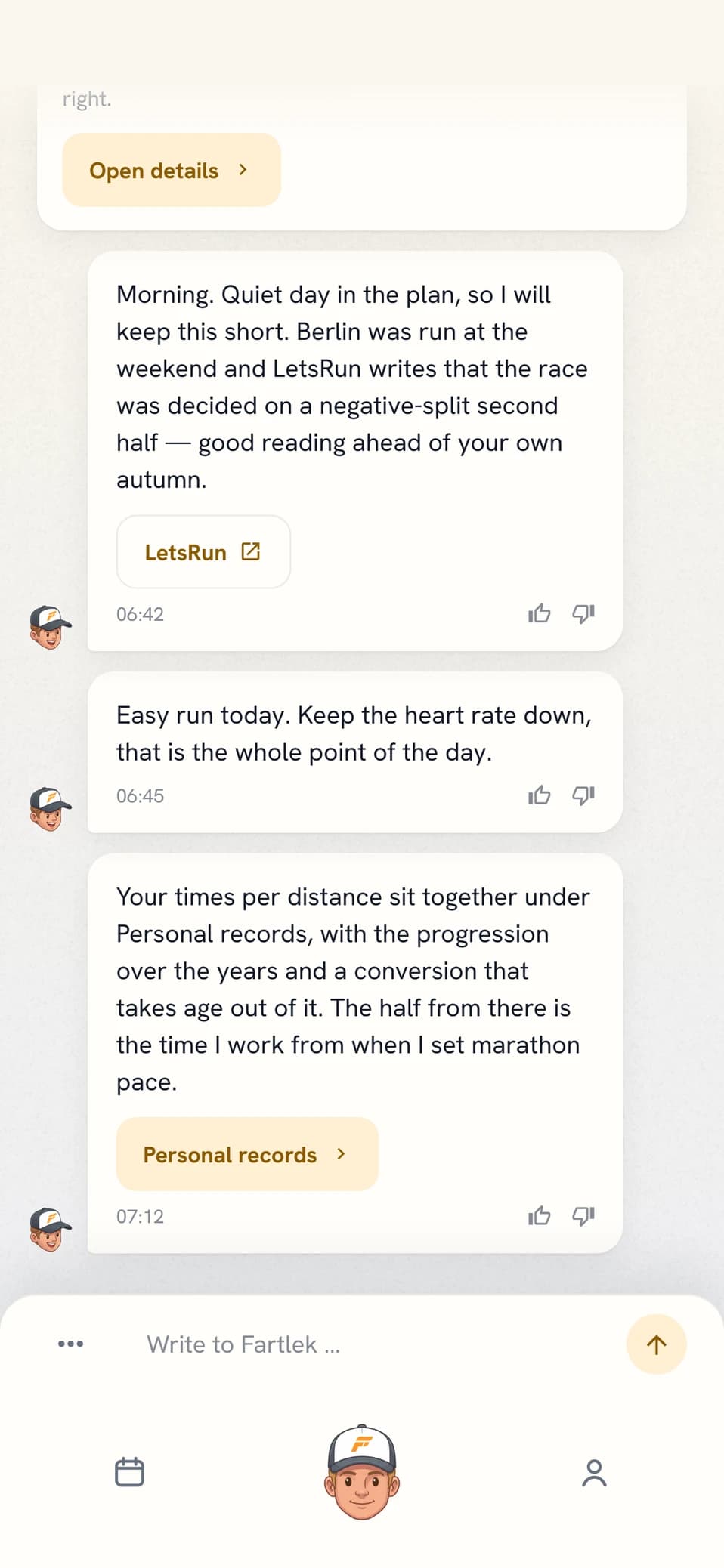
The coach steps up on its own. If the request touches several sessions, or which days you can train, the coach redoes the question in planning mode before anything changes. A session you want to ADD counts as that, however easy it is: the volume has to be weighed into the week rather than stacked on top of it, so something else gets shortened or dropped. No extra energy, but the answer takes longer.
- The last 5 km were heavy, should I worry?
- What is Thursday’s session for?
CHAPTER 03
The season and the long plan
The plan is laid in three layers. Blocks run twelve months out, weekly targets are set within a sixteen-week horizon, and sessions are written two weeks at a time.
- Five block typesBase, build, peak, taper and recovery. Blocks start on a Monday, end on a Sunday and cover the whole year without gaps.
- Your races set the structureThe period ahead is redrawn from scratch at every season planning, from the races you have entered. The blocks follow your races, not the other way round. Weeks you have already trained are never touched, and keep the phase they were actually trained in.
- Weekly targets, not sessionsVolume, number of intensity days and longest long run per week. Targets move through the block, and how fast the volume may grow is set by what you have actually been running.
- The year in barsOne bar per week in the block’s colour. Browsing reaches back to your first year with training or a plan in the app, five years at most.
- The blocks openTap a phase band in the chart to open the block, with the coach’s words on what it builds and the weekly targets as bars. In an opened month, the blocks that touch the month sit among its events, and a coloured edge by the week rows shows which block each week belongs to.
- Races that sit close togetherThe A race owns the season. A B or C race too close to it gets no peak or taper of its own, but becomes a tune-up inside the build, with a few sharp days before and straight back into the build after. How much rest goes in after a race follows what the race took: a marathon earns a recovery block, a 5k a few easy days.
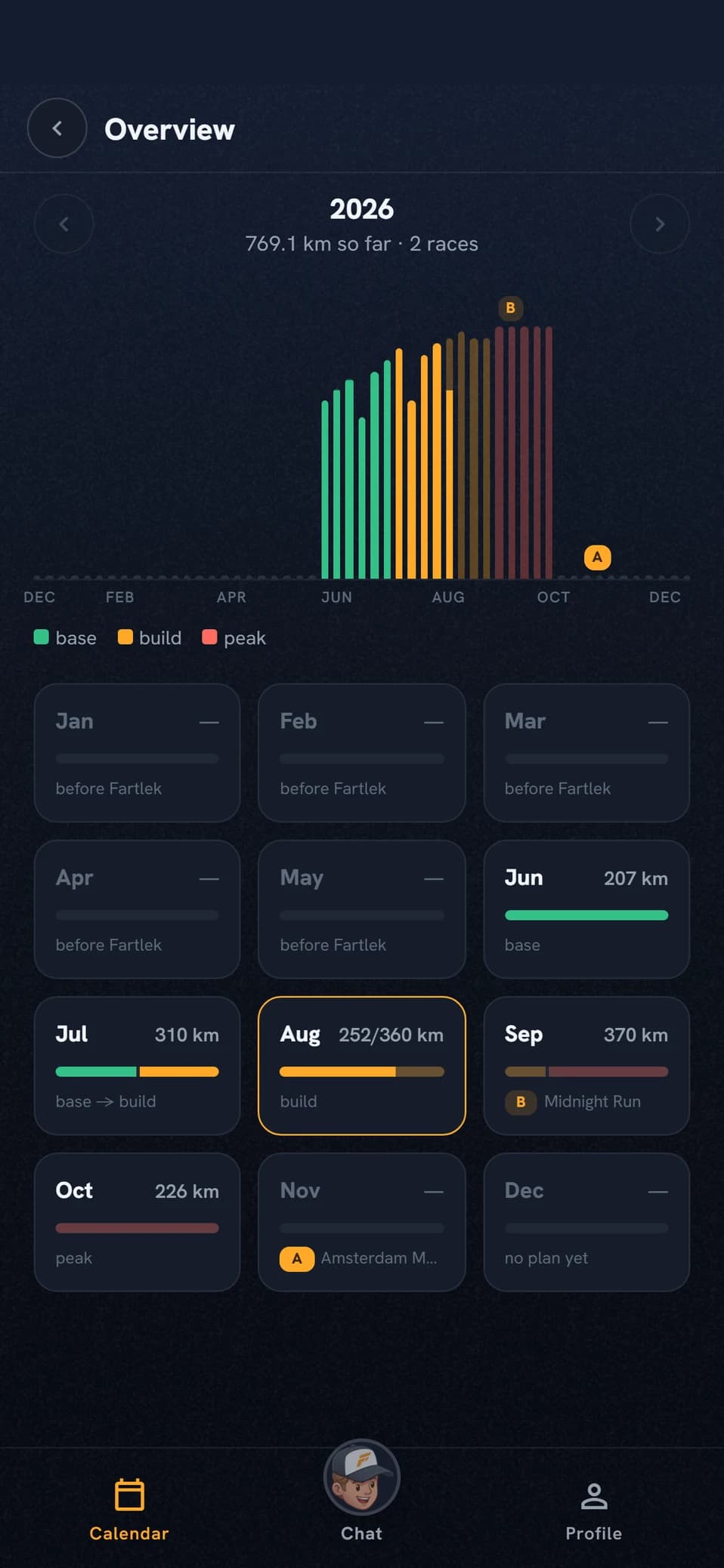
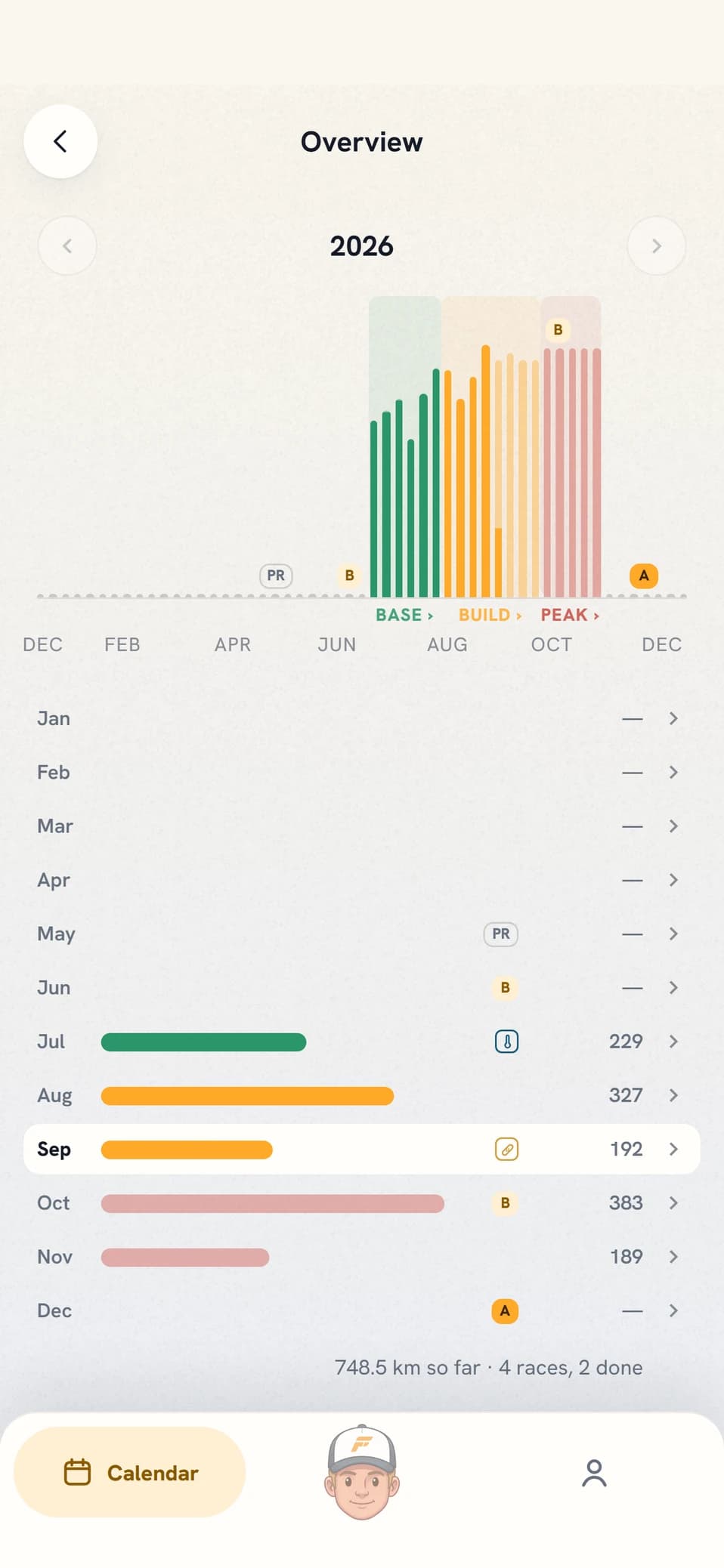
Only the next sixteen weeks carry weekly targets. Blocks further out sit as a frame without numbers until they move into the window and get refined by a weekly planning run. An empty November does not mean the plan is missing.
- What does the autumn look like?
- Why am I in a base block right now?
CHAPTER 04
The week in the calendar
The week view is where the plan meets the day.
- The week’s volumeThe big number is what you have run, the one beside it what the week is measured against. The week in progress is measured against what has actually happened plus the plan for what remains, so a missed session shrinks the target instead of standing on as a debt. Past and future weeks are measured against the plan as written. The kilometres count only sessions with a distance, the session count counts them all.
- Health on its dayHRV and resting heart rate from the night before sit in the day’s header row, next to the mark for an open injury or illness. The numbers carry no verdict of their own; tapping them opens Recovery, where they sit against your baseline.
- The day rowThe session’s name is the heading, the colour bar on the left carries the type and the line below it the pace. The volume on the right turns green once the session is done. Start time and average heart rate sit inside the session.
- Linking happens on its ownA synced workout is paired with the day’s planned one as long as the two are close enough in volume and intensity. If they sit at opposite ends of the scale, planned easy against completed hard, they are left apart: the planned row stays there as missed next to the run you actually did. If it comes out wrong either way you relink by hand.
- Unplanned sessions get a type tooA run you simply went out and did is classified from its own laps against your zones, so the colour bar on the left takes the type’s colour while your own workout name stays as the heading. Your earlier history is reclassified on the next sync, which is what lets the coach find your last threshold session from before you had the app.
- The strip at the foot of the week cardThe weeks around the one you are on, sixteen back and sixteen ahead, as a strip in the phase colours: solid where you have trained and pale ahead, with this week in the middle and the year’s distance beside it. The whole row opens the Overview, and that is the only way in.
- The block you are inAbove the year strip are the coach’s own words about the training block the week sits in, and the dashes above them are the block’s weeks with the one you are on marked. Tap the row to open the block with the full text and its weekly targets, where the bars show the plan and how much of it you have run.
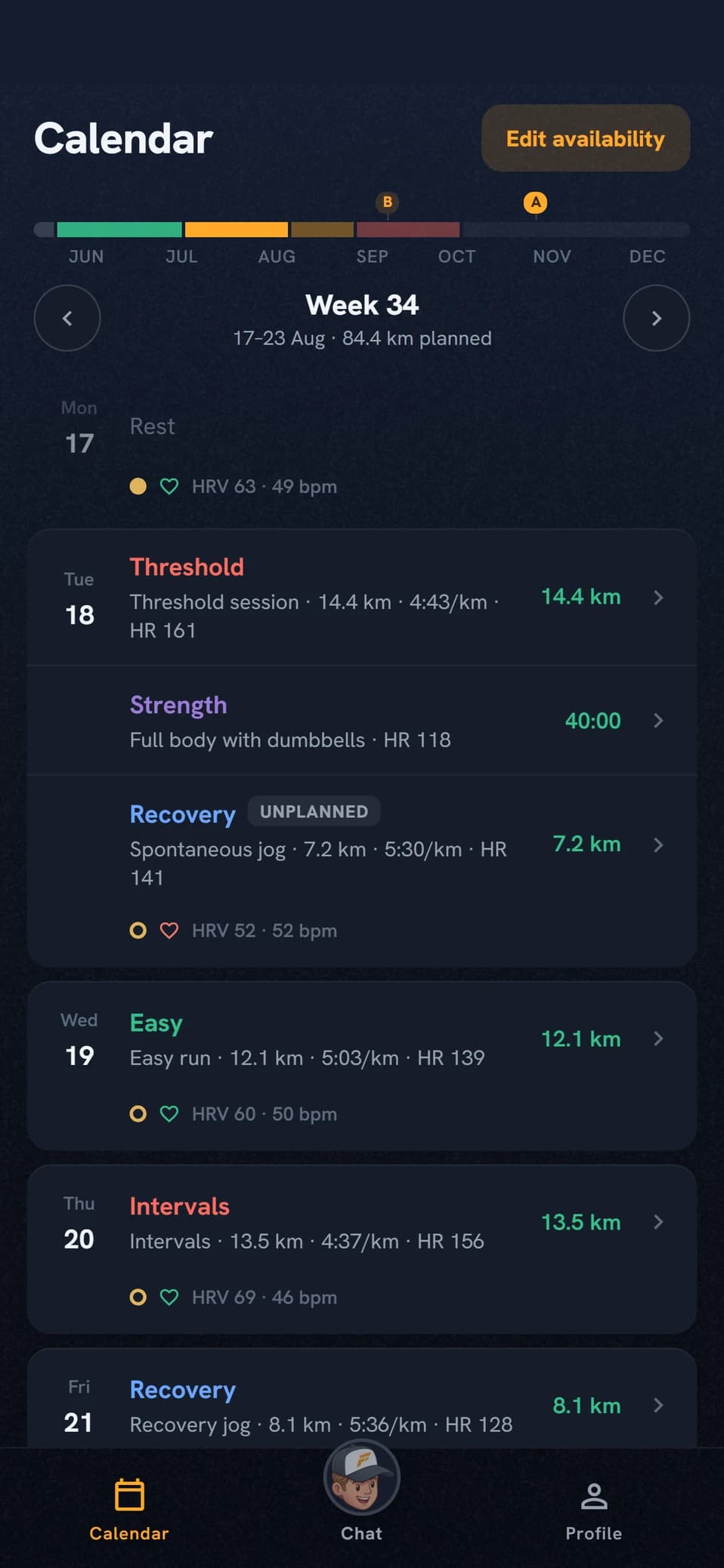
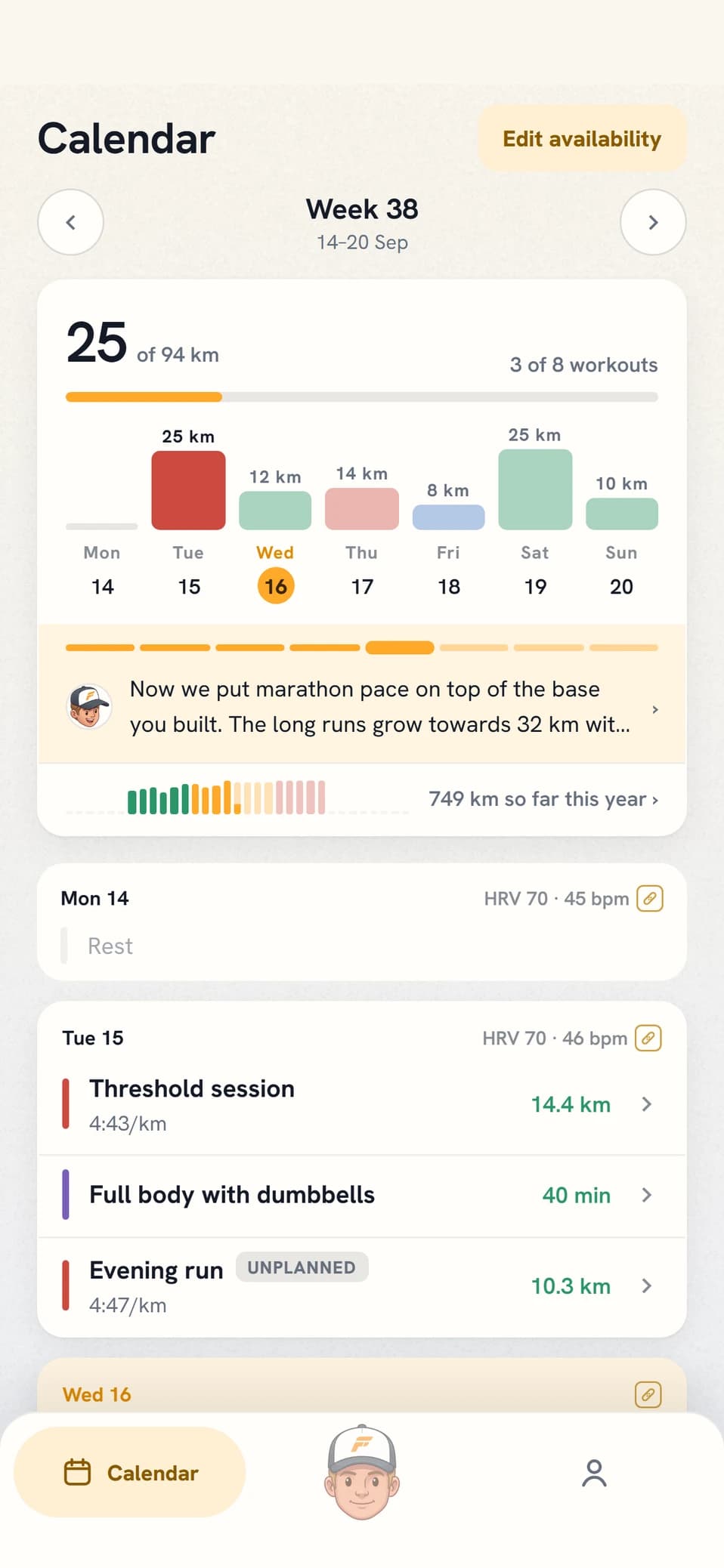
A missed session stays. Marked Missed, until the next planning run decides whether it goes back in, gets softened or gets dropped. Repeated misses are read as the plan being too optimistic and it is eased, not treated as something to catch up on.
- Move the long run to Sunday
- I am away all of next week
CHAPTER 05
A session in detail
The session view has three states that follow from the data: planned, completed and missed.
- Forecast at the start timeTemperature for your town on the day and hour of the session. The heat warning weighs in the dew point and trips earlier for pace-driven sessions than for easy ones.
- The stepsWarm-up, work, rest and cool-down, each labelled with its zone and carrying a distance, a target pace and a target heart rate. Quality sessions are always built from real steps, never a single lump of minutes.
- The coach’s briefThe intent behind the session, which stays there afterwards so you can read it against the outcome.
- The target next to the outcomeWhere the session was linked to a planned one, the plan’s pace sits as a small delta under the outcome in the lap table, paired work against work: green when the lap was faster than the plan and red when it was slower. If you ran a different number of work laps than the plan the delta is left out rather than putting the wrong target on the wrong lap. The plan itself stays in its own table under Plan.
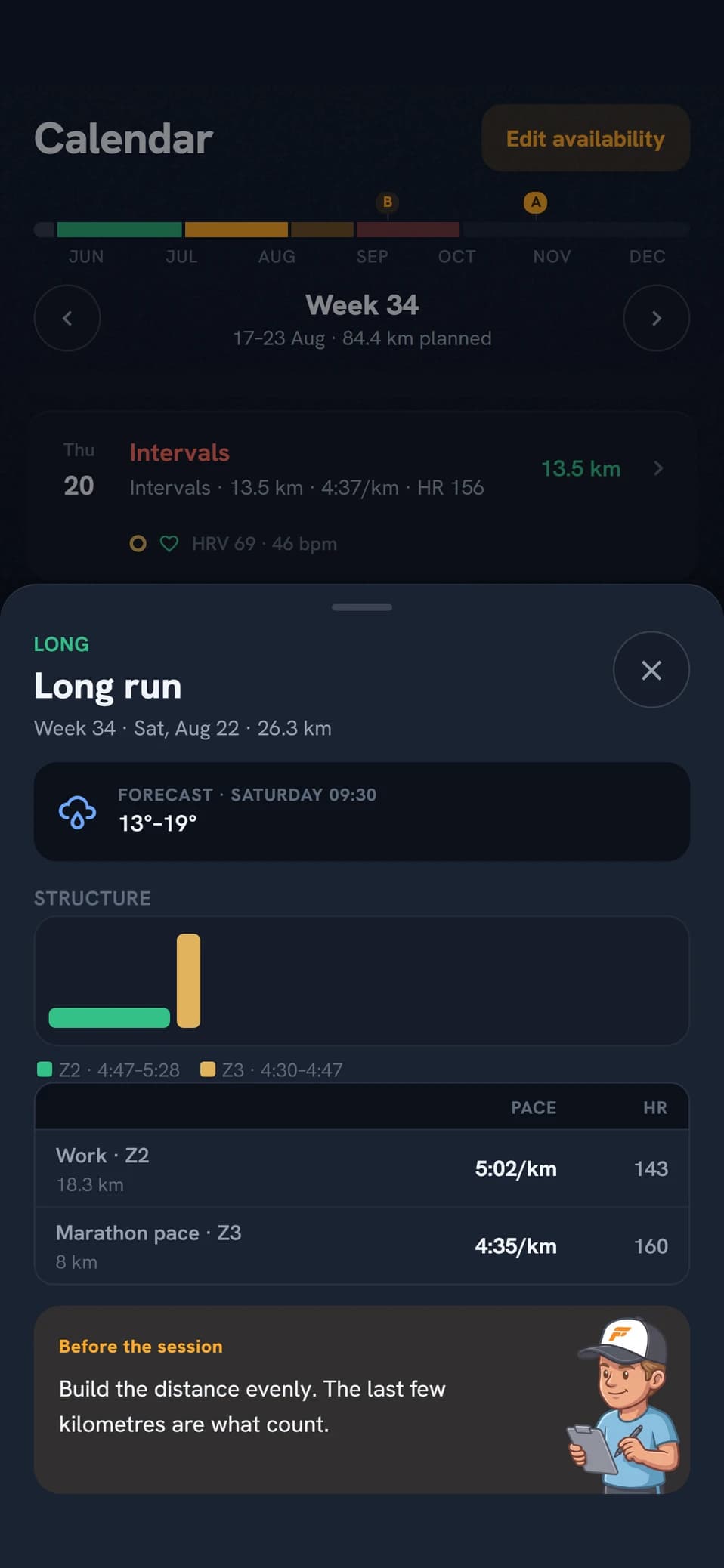
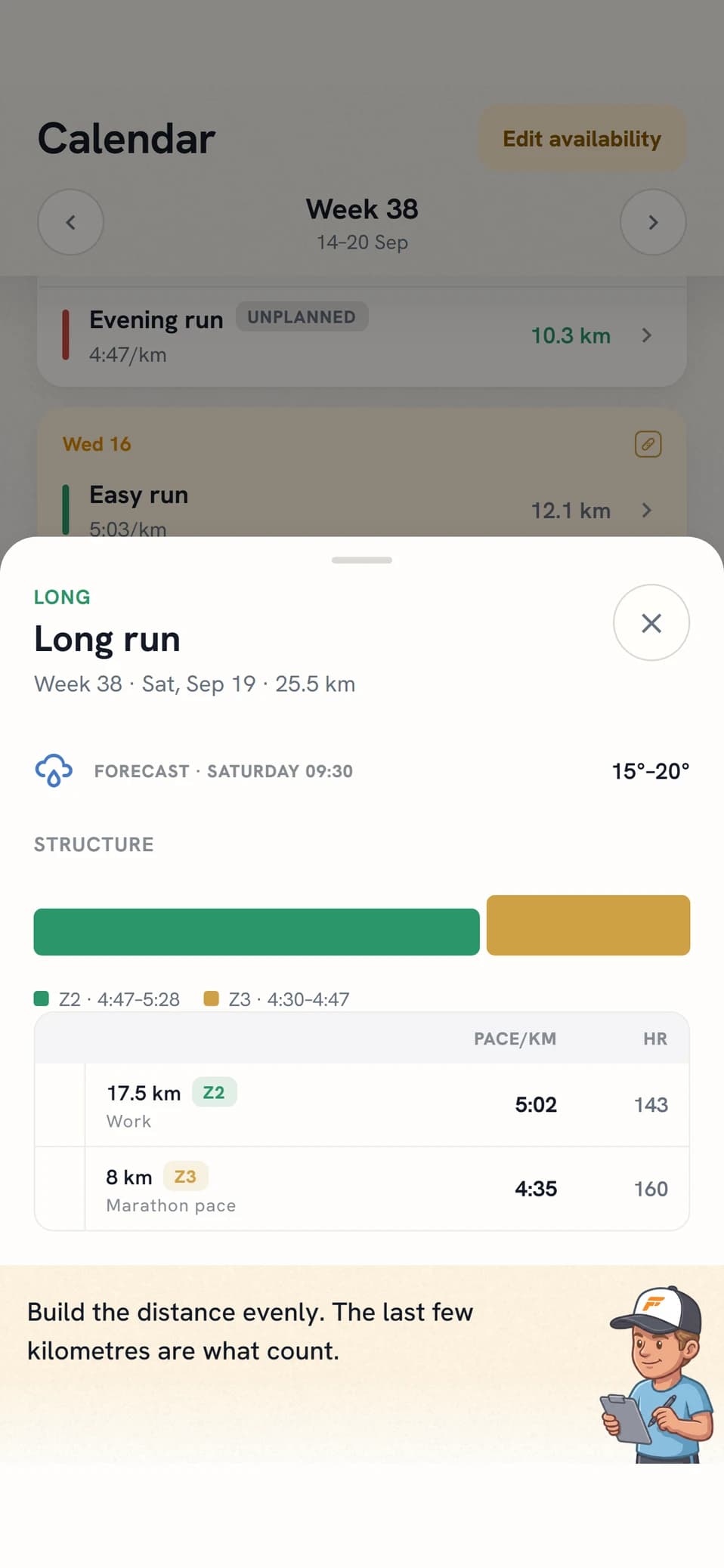
After the session the view changes. The story first: the map if the session has a route, distance, time and average pace, one bar per lap (a muscle map instead for a strength session), then How did it feel? with five faces and RPE behind the choice, the coach’s analysis, the deep dive and a row into that day’s conversation. Tap a bar and the lap is highlighted in the table. The numbers sit behind four headings, all collapsed when you open the session: Metrics with heart rate, cadence, load, ascent and the weather that held, plus running power, breathing rate, ground contact time and vertical movement where your watch measured them; then Workout graphs, Laps and Plan. GAP appears only when the grade adjustment makes a real difference.
- Why did my pace drop in the last interval?
- Was that a good session?
CHAPTER 06
Strength sessions
Strength is off to begin with. Turn it on under Training constraints and the strength session becomes a row in your calendar with exercises, sets, reps and load, not a reminder to think of something yourself.
- You tick what you haveEquipment sits under Conditions in your profile and is a list to tick: gym, dumbbells, barbell, bands and a pull-up bar, but also a treadmill, a running track and hills nearby. The coach stays inside what you ticked when it builds the session. Bodyweight always counts, so an empty list does not stop strength sessions, it just gives you bodyweight ones.
- The session is a prescriptionBlock by block with exercise, sets, reps, load and rest, plus a muscle map of what the session actually works. A circuit block shows rounds instead of sets per exercise. The content cannot be edited in the app; swaps you make in chat.
- Where it lands in the weekHard days hard: strength lands on a day that is tough anyway, ideally a few hours after the run, or on an otherwise easy day. Heavy work the day before your long run or a quality session is what the coach avoids, because it steals the session that matters more, and two heavy ones back to back likewise. Light mobility and prehab are the exception and can sit anywhere. Strength sessions do not compete for the places in your running-day ceiling.
- The volume follows the blockThrough the peak and the taper the heavy session becomes a maintenance one that keeps the loads and halves the volume, and inside the last ten days before your A race it drops out entirely. Progression adds weight or reps, never both in the same week. These are the principles the coach plans by, not a schedule it fills in: your week, your history and the time you have decide what actually lands there.
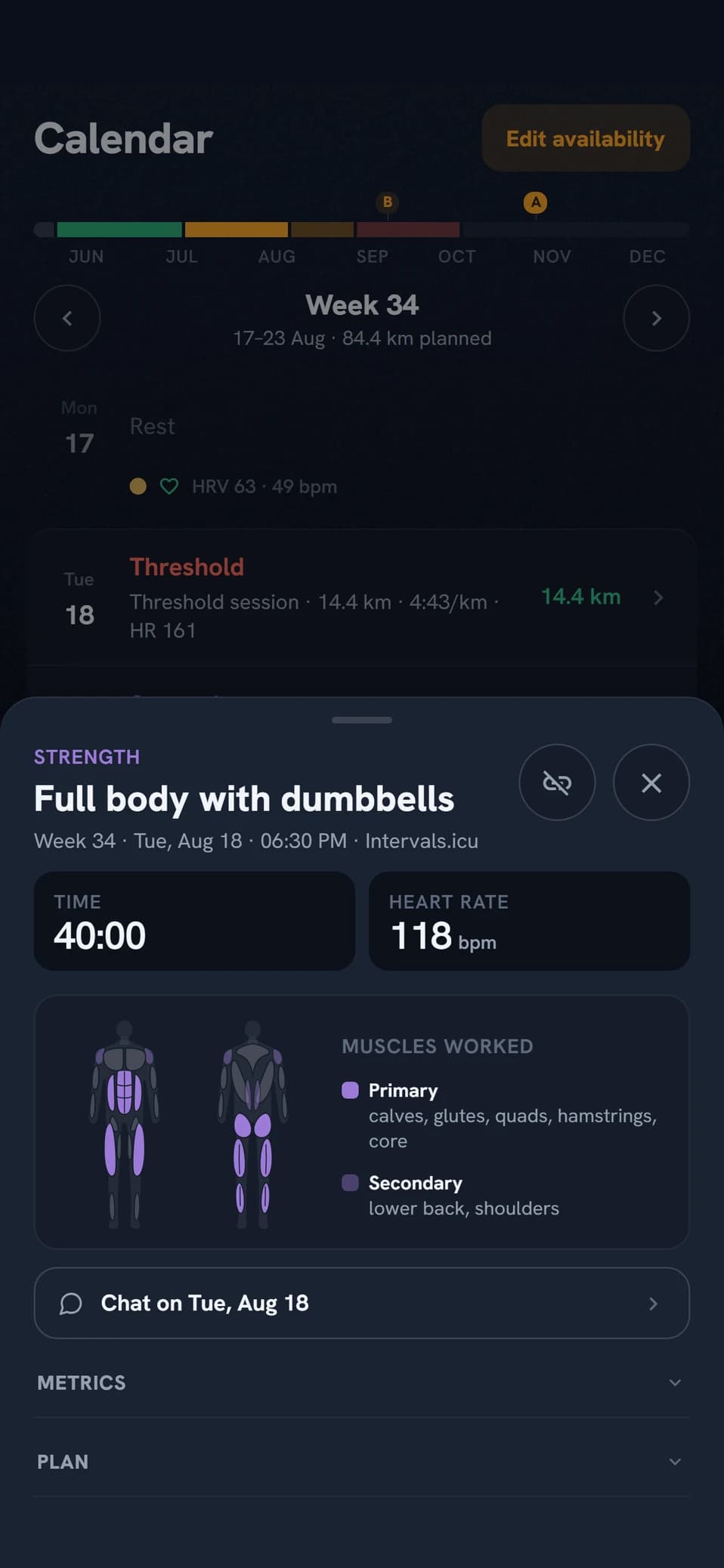
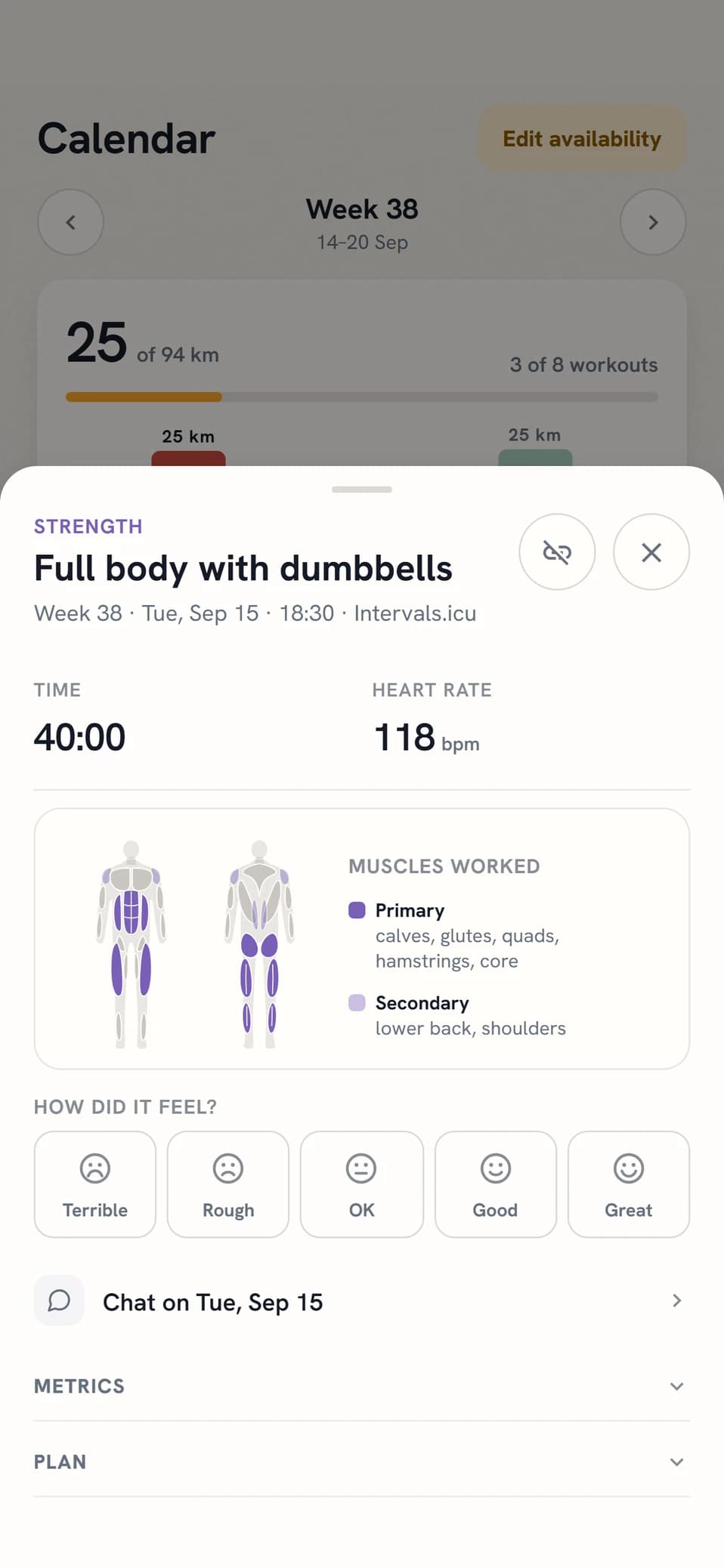
Your injury history drives the exercise choice. A history of Achilles trouble puts eccentric heel raises in before it speaks up again, ITB and knee give hip and glute work, an old hamstring strain gives nordic curls or single-leg RDLs. The coach writes why in the brief. What it reads is injuries that came back in the same place over the last two years, not one-off niggles.
- I no longer have dumbbells at home
- Swap the lunges, my knee dislikes them
CHAPTER 07
When the plan gets rewritten
The coach works on the clock in your time zone, not when you open the app.
- 21:00Weekly planningThe last day of your training week. Sunday evening on a Monday start, Saturday evening on a Sunday start.
- 18:00Heads-upThree hours earlier, and only if there is something to say. If next week has no times in it, the coach speaks up.
- 09:00Daily check-inOnly on a signal: a missed session yesterday, an open injury you have gone quiet about, unusual HRV or heat on the way.
- 1 h beforeSession reminderThe hour before the start time, before hard sessions and long runs. If the session starts before 08:00 it comes the evening before at 20:00, and without a start time it goes at 08:00.
- On syncWorkout analysisIntervals.icu reports a workout upload. The analysis is written straight away and may suggest that upcoming sessions are adjusted.
- You ask for itA change to a session that already exists happens right away: move it, swap its type, adjust its distance, pace or notes, delete it. If the request touches several sessions, a brand new session, or which days you can train, the week is rebuilt instead.
- A race movesA new date on a race close in time recalculates the whole chain right away, from blocks down to sessions. Further out it is handled at the next weekly planning. Changing priority or target time triggers nothing.
- Your body says noIf HRV or resting heart rate sits clearly outside your baseline, the morning check-in may move or soften the day’s session. It stays inside the week and never touches a race.
- You change when you can trainSessions that fall outside your new times are listed as conflicts, and the next planning run has to resolve them first.
Weekly planning never touches the week in progress. The window starts tomorrow and ends on your own week boundary, fourteen days out. Changes to the current week you make in chat.
- Next week is heavy at work, can we ease off?
- Put the long run on Saturdays from now on
CHAPTER 08
Races and goals
Your races are what the training aims at, and the priority on a race drives how the season is divided and how long you taper.
- The path to your goalAt the top of the Races and goals group the coach writes where you are heading: which race the training is working towards, what you are after in the longer run, what is holding you back right now, and what the week ahead builds towards. It is rewritten every time the week is planned, so it is never more than seven days old. If the coach cannot point to one thing holding you back, it says so rather than picking one.
- A, B or CA gives a peak of a couple of weeks and up to two weeks of taper. B a shorter peak and one week of taper. C gets no peak at all, just a few easier days going in. That describes one race at a time: when a B or C sits close to your A race they are weighed against each other instead, and the smaller race becomes a tune-up without a peak of its own.
- The coach’s race planWritten once the race is within three months and updated more often as the day nears. It covers race day only: form, target and strategy.
- Goal levelsThe coach sets three levels in its assessment: Dream for when everything clicks, Main goal for what the planning anchors in, and Floor for what still counts as a good day. A level does not have to be a time, it can be a placement or a plain sentence. You do not type a target time into the form, you adjust the levels with the coach in chat. If the race came from the catalogue, surface and elevation are taken into account.
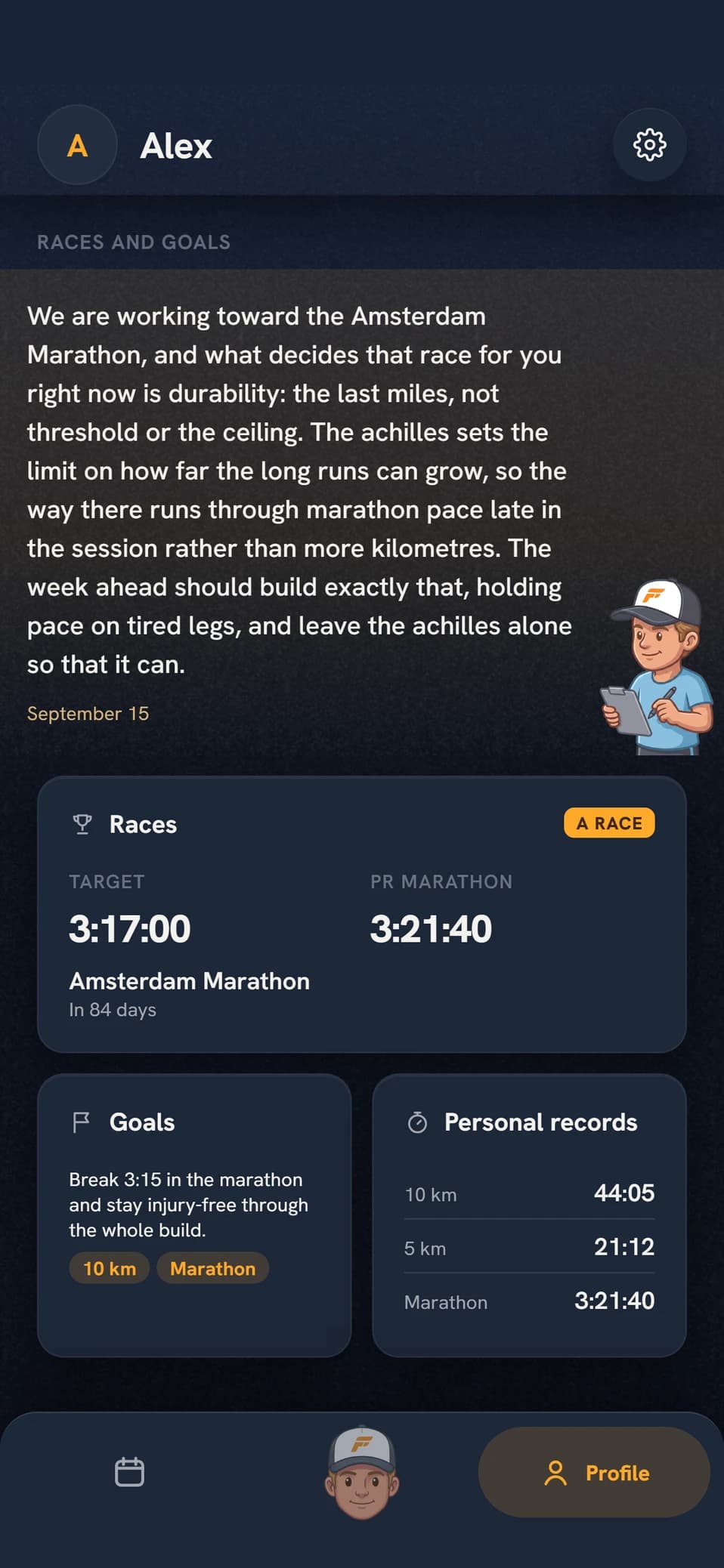
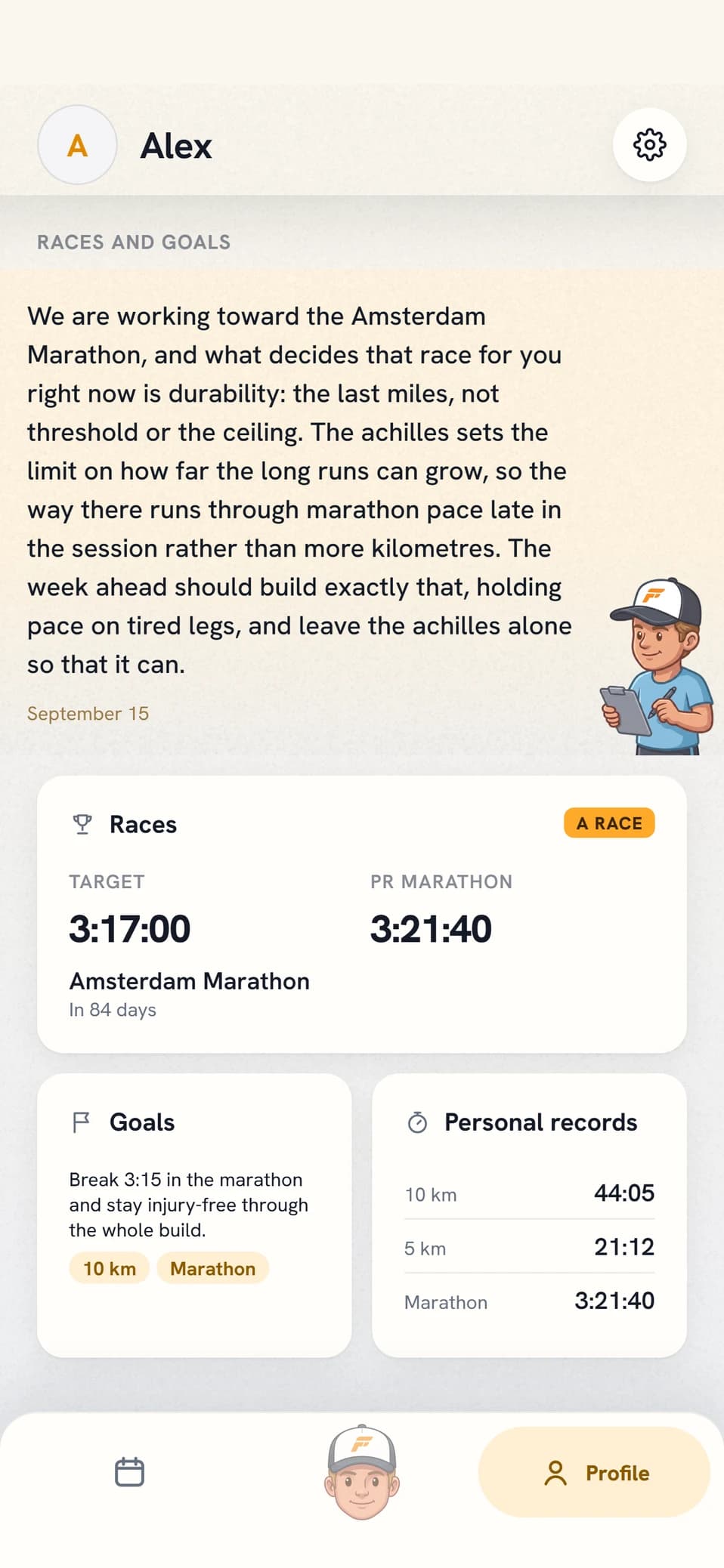
The race plan is written before the race. The review comes after it. The assessment stays as written, under the heading The plan before the race. After the race the coach writes a review of its own, with a heading that says what it found, and it sits on the race screen together with the split between the two halves and how the goals landed. Chat gets only a short line saying it is there. A race gets no ordinary workout analysis and no deep dive, the review is both. The zones are recalculated afterwards.
- Can you find a half marathon in October?
- Is 3:15 realistic in Stockholm?
CHAPTER 09
The performance factors
Five factors together explain how fast you can run far. The coach estimates them from your sessions, races and zones and follows them over time. None of the values is a laboratory measurement.
- The three classic onesEndurance performance has long been described with three measures: how much oxygen the body can use (VO2max), how large a share of it you can sustain for long (the threshold) and how much energy each kilometre costs (running economy). Two runners with the same VO2max can run at different speeds, and it is the threshold and the economy that separate them.
- The two that were addedDurability is how well the first three hold up when the session gets long. Two runners who are alike when fresh can fade by different amounts after two hours, and that fade does not show in a short test. Anaerobic capacity is the speed above the threshold. It decides the finish and the hills and gives threshold sessions a margin, but contributes little to a marathon.
- A view per factorEach factor has a card in your profile and its own view behind it, with the value, its development and what lies behind it. Under the number sits the coach’s comment on that factor, written by the same estimate that set the value. Running economy is labelled estimated oxygen cost, because no watch measures it.
- Maintain or DevelopA factor with a current value carries the coach’s verdict on what it should do next. The verdict is set in the deep analysis, not in the weekly estimate, and a factor without a current value gets no verdict at all.
- The one holding you backThe deep analysis also names the single factor limiting you most against the race you are aiming at, and it appears in the note at the top of Races and goals. If your circumstances limit you more than your physiology does, or too little is measured to name one, the coach writes that instead of picking a factor.
- When the numbers moveThe estimate is redone every time the week is planned, and right after a completed race. Both require Pro or Elite. The verdict comes with the deep analysis, every three months on Pro and every month on Elite.
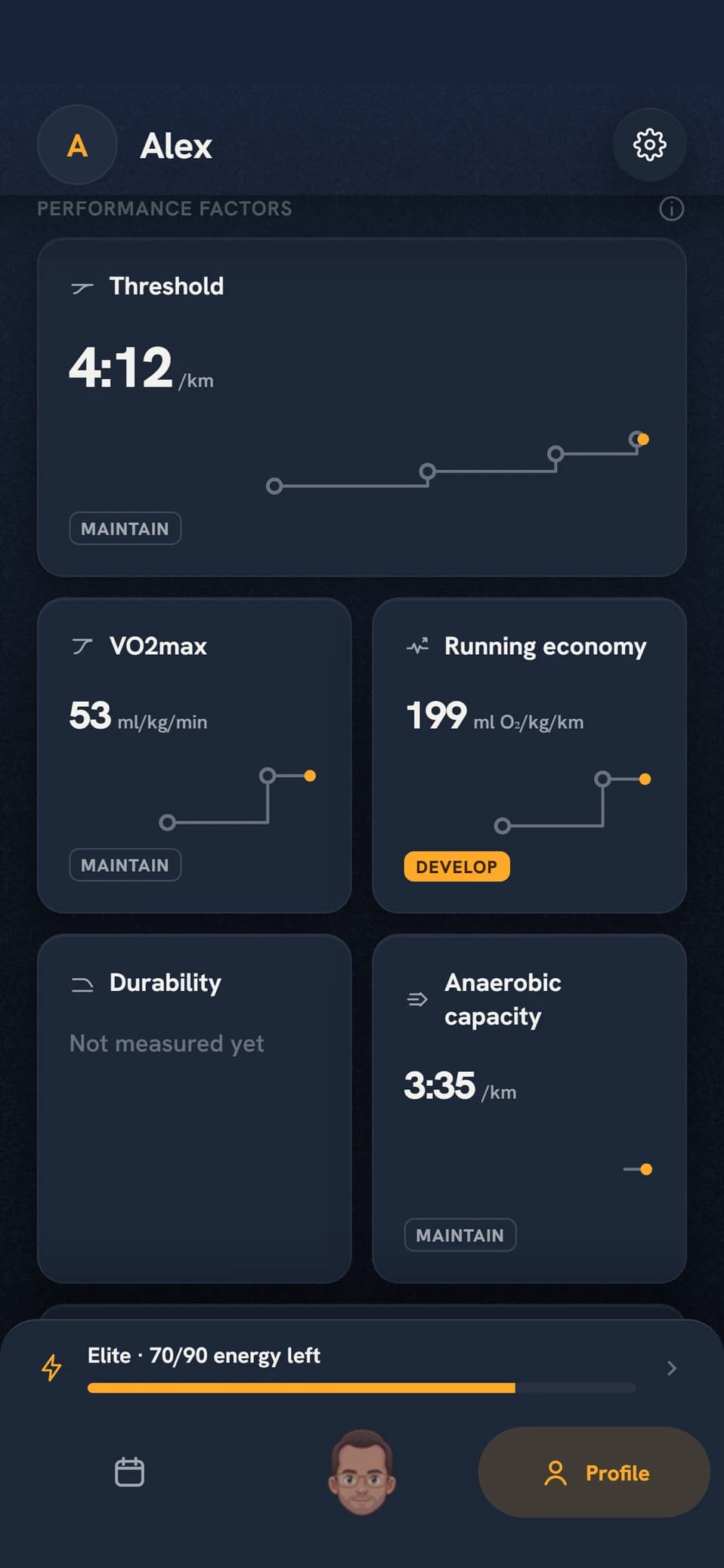
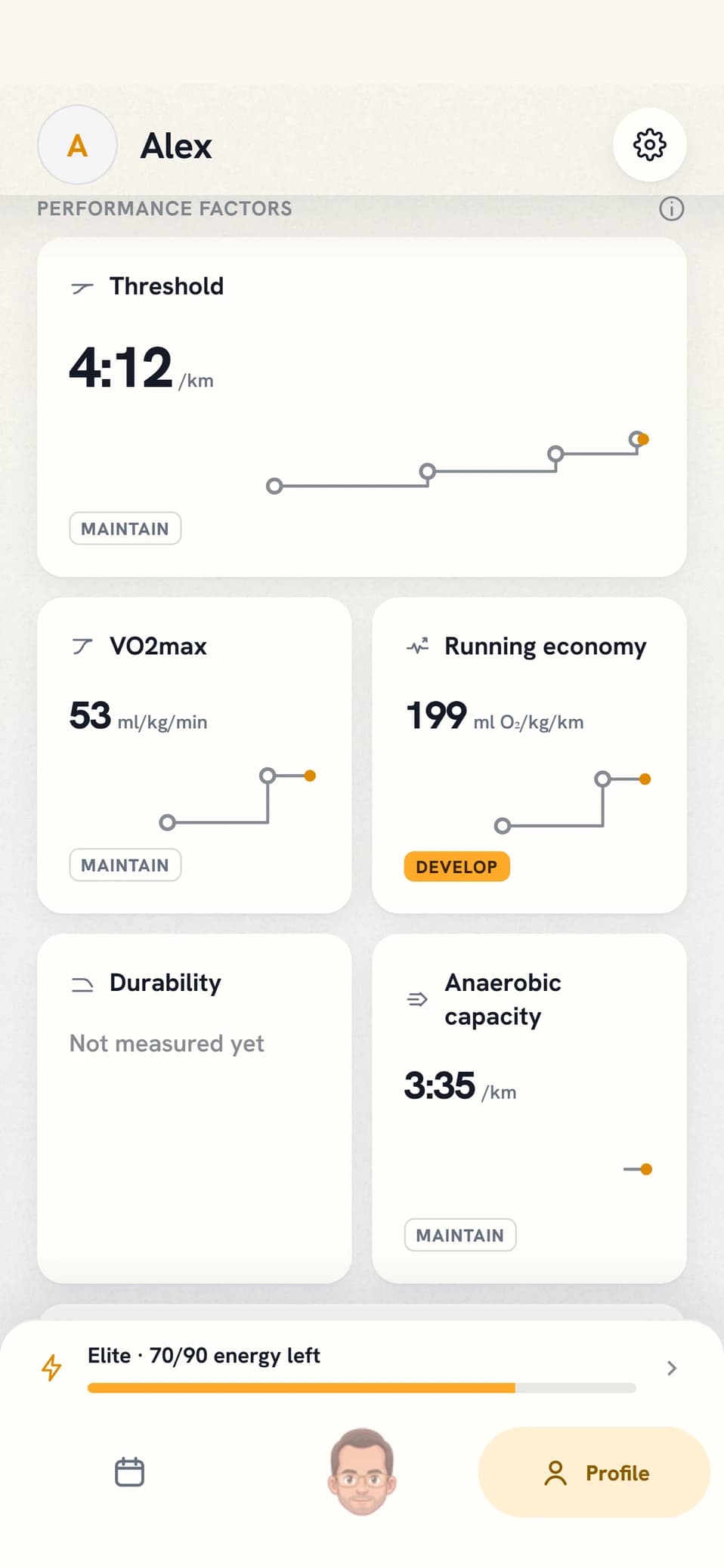
A factor without evidence says so outright. Instead of a number it reads Not measured yet, Not analysed yet, Zones missing or Older value, with one line on what would produce the measurement: a race, a time trial or sustained hard running. Each value also carries how strong its evidence is, weak, moderate or strong, and what is holding it down. Thin evidence is not the same thing as a poor value, and the coach does not treat it that way.
- What is holding me back for the marathon?
- How does my durability compare to the spring?
CHAPTER 10
Personal records
Its own view under Races and goals in your profile, for the question of whether you are getting faster, with a tab per distance from 3 km up to ultra.
- Records come from your racesOnly races with an official time count. A fast training run never becomes a record, however good it was. The race does not have to be entered by hand though: the app looks for race-like efforts in your synced history and offers them up.
- The curve carries only the gainsOne point per race that actually moved the record. A slower race in between does not appear in the curve, but your latest time is always shown as a figure of its own. If you have an upcoming race at that distance with a target time, it is drawn as a line to aim at.
- Age gradingA toggle that converts every time into the equivalent performance in the open class, from the age you were when you ran the race. The curve is then rebuilt on the converted times, so a slower race a few years later can be the better performance. The conversion needs your birth year; gender is optional.
The conversion lives on your phone. The factors are the world governing body’s road tables, and they exist only in the app. The coach sees your race times but never the age-graded ones, so if you ask it about a record it answers on the time you actually ran. The races themselves are full input though: they are what the zones get recalculated on.
- What is my best 10k race?
- How close am I to my record right now?
CHAPTER 11
Training zones
Zones are estimated from your own training. They are not imported from Intervals.icu, and cannot be typed in by hand.
- The card sits under Your coachTraining zones sits in the Your coach group in your profile, right after Analysis, and shows how your running time over the last month has been spread across the heart-rate zones. Z1 to Z5 with time and share, the same chart as inside the view. The card is there even before you have sessions with heart-rate data.
- Ten bands from the thresholdFive heart-rate zones from threshold heart rate and five pace zones from threshold pace, from recovery down to repetition. When the threshold moves, all ten bands move with it. The heart-rate bands follow Joe Friel’s %LTHR model for running and the pace bands are fractions of the same threshold pace; the app spells the percentages out behind the info button so you can check the arithmetic.
- One scale at a timeThe view draws the bands on a shared axis with the threshold as a dashed line, and the switch at the top picks heart rate or pace. Below them sits the distribution over 7 days, 1 month, 3 months or 1 year.
- Heart rate and pace are counted separatelyA session counts only in the scale it has complete zone data for. The heart-rate view says below the chart how many sessions dropped out without a strap, because that is a gap you recognise. A run without pace data is rare enough not to be called out.
- The threshold lives in its own viewThreshold pace and threshold heart rate sit under Threshold among the performance factors, together with the coach’s assessment, a curve of how the values have moved and your recent threshold sessions with the prescribed pace next to what you ran.
- When they changeThe coach reviews your threshold every week from races and training, and more data does not have to mean new values. A completed race recalculates them right away. If you would rather not wait, ask for an update from the button in the view.
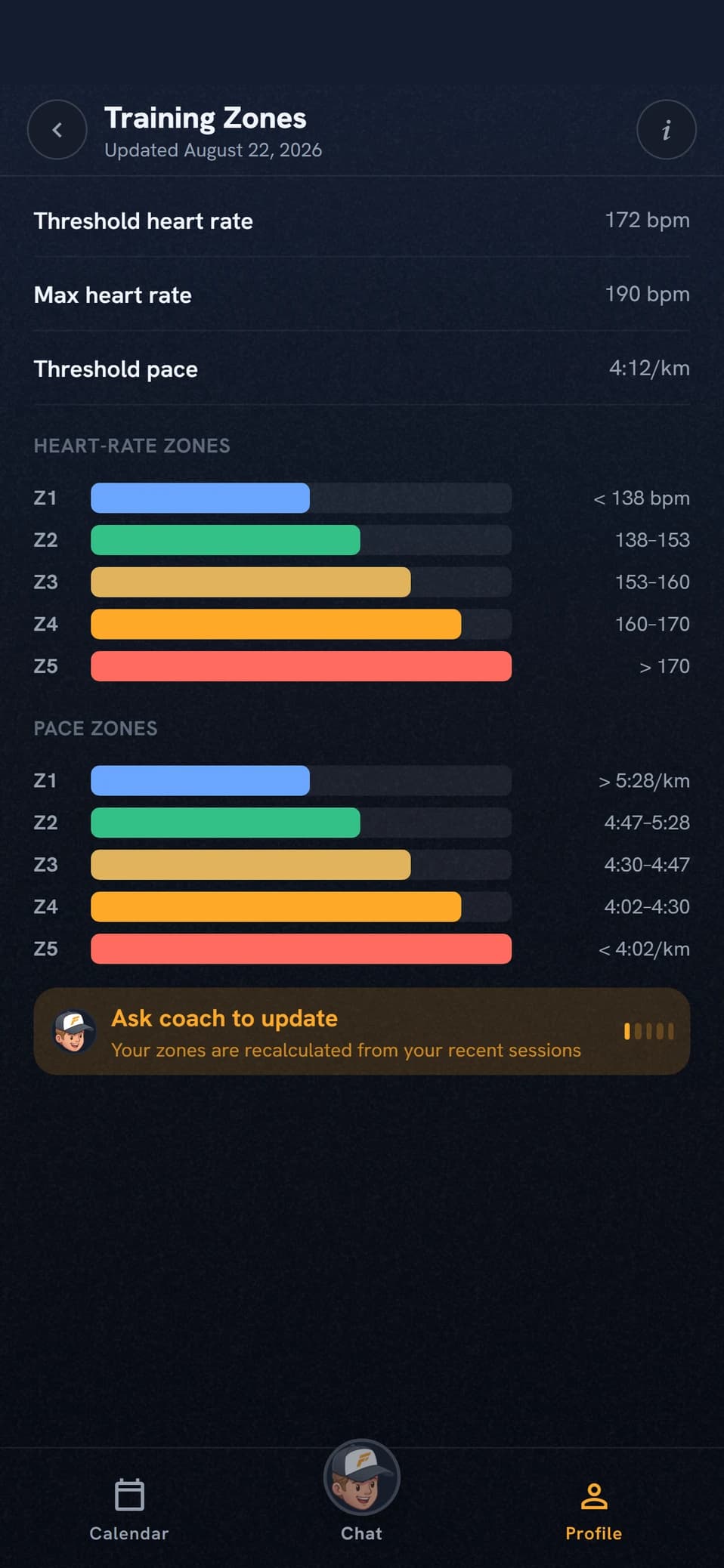
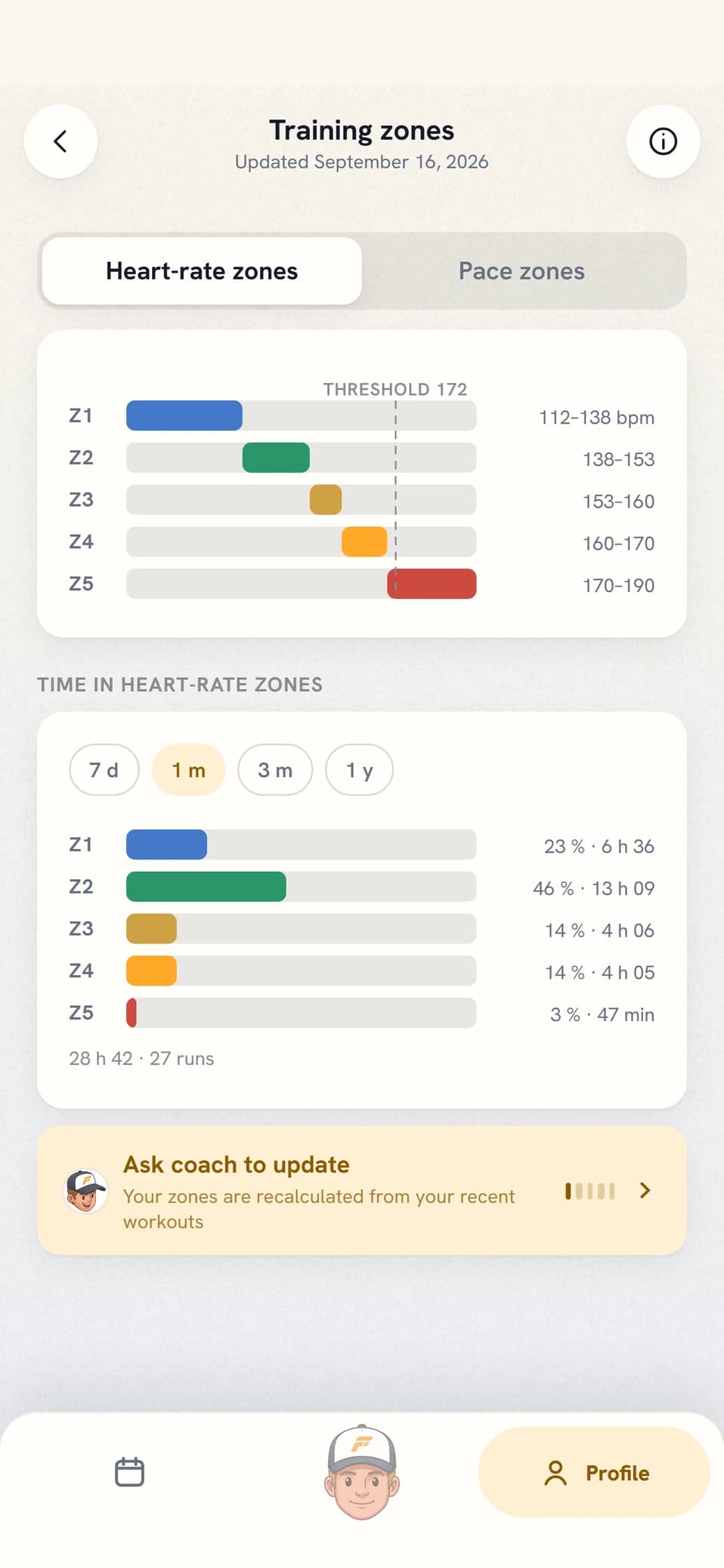
Zones colour more than this screen. The session structure, the segment chart, the pace and heart-rate targets sent to your watch, the classification of unplanned runs and the whole load calculation are built on them. When your thresholds move, older history stays calculated on the values that applied when the session was written in.
- Recalculate my zones
- Where is my threshold pace now?
CHAPTER 12
Availability and preferences
Two separate things drive where sessions land. Training constraints say how you want to train, availability when you can.
- The base templateFrom the start, weekday evenings and most of the weekend sit open, the same every week. The moment you change a day it leaves the template for good.
- Several windows a dayContiguous cells become blocks, and each block can be limited to running, strength or cross training.
- Running days is a ceilingThe number under Training constraints is an upper bound, not a target. That is also where you set long-run day, rest days and how many quality sessions you want.
- A note for the weekA free-text note that travels into the planning, for what is not a time of day.
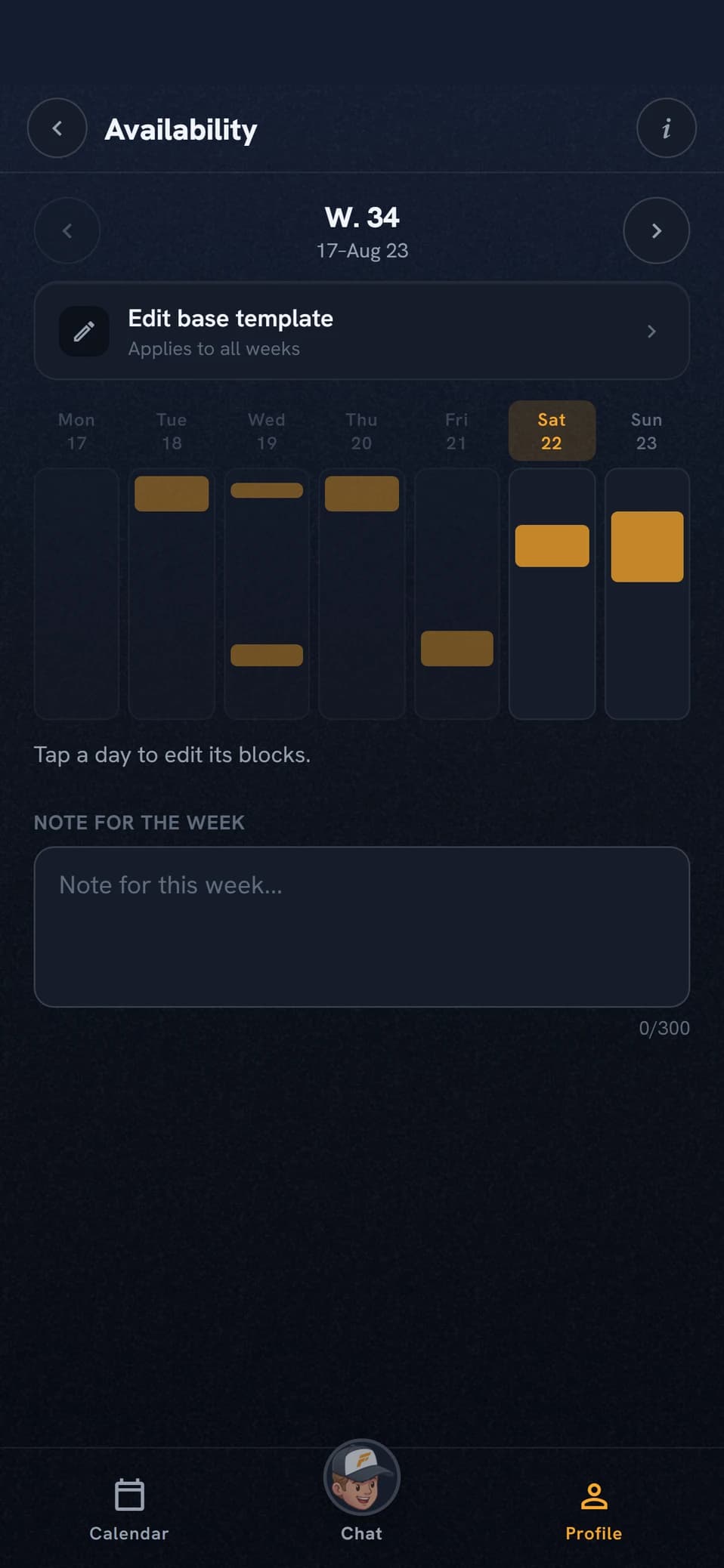
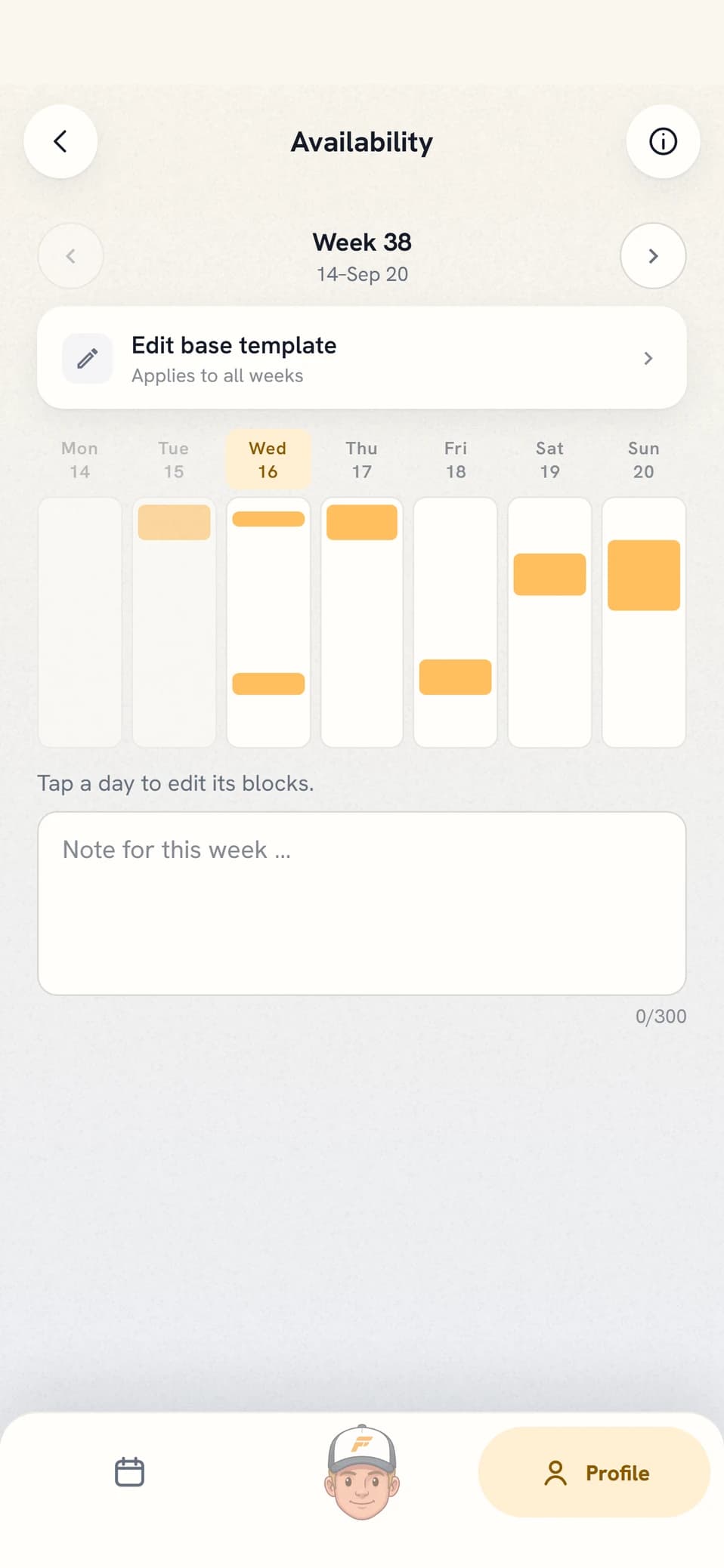
Painting in more time does not give you more sessions. Health and the block’s targets decide how much training is laid, availability only where it lands. If the volume does not stretch, the coach cuts running days rather than adding short sessions that do nothing.
- I can only run before seven on weekdays
- Drop Thursdays this week
CHAPTER 13
Recovery and health
HRV, resting heart rate and sleep time come from your watch through Intervals.icu. All three describe the night that was. Injuries and illness no watch measures, and those you enter yourself in the Health log.
- Your own baselineBuilt from your own readings over the last three months, with the odd extreme night cleaned out. There is no table of what counts as good, only what is normal for you.
- Deliberately asymmetricFor HRV, low values are flagged. For resting heart rate, high ones.
- The band movesThe baseline is recalculated week by week, so the band drifts across the chart instead of sitting still.
- Sleep is the third curveIf your watch reports sleep, total sleep time is drawn as a chart of its own with its own baseline band. The coach measures the last few nights against your own normal, so several short nights in a row can move a session.
- The coach’s words on the weekUnder the numbers sits the coach’s note on your recovery, written when the week is planned and only when there are readings from the week that passed. If the coach has nothing to say, no note appears. The notes are included on Pro and Elite.
- The health log is a year at a glanceThe log opens on one cell per week over the last twelve months, a dot when the week was healthy and a mark when it was not, with day statistics for the same period below it. In between sits an expandable trend card for how much of those days were affected, and at the bottom a timeline where the healthy gaps are counted in days.
- Severity is a course, not a valueA cold that breaks out, or a niggle that turns into an injury, is the same entry all the way through. You update the state on the open entry and the change applies from that day, so earlier days keep the severity they had. The coach can update the same entry from chat, and never files a second one.
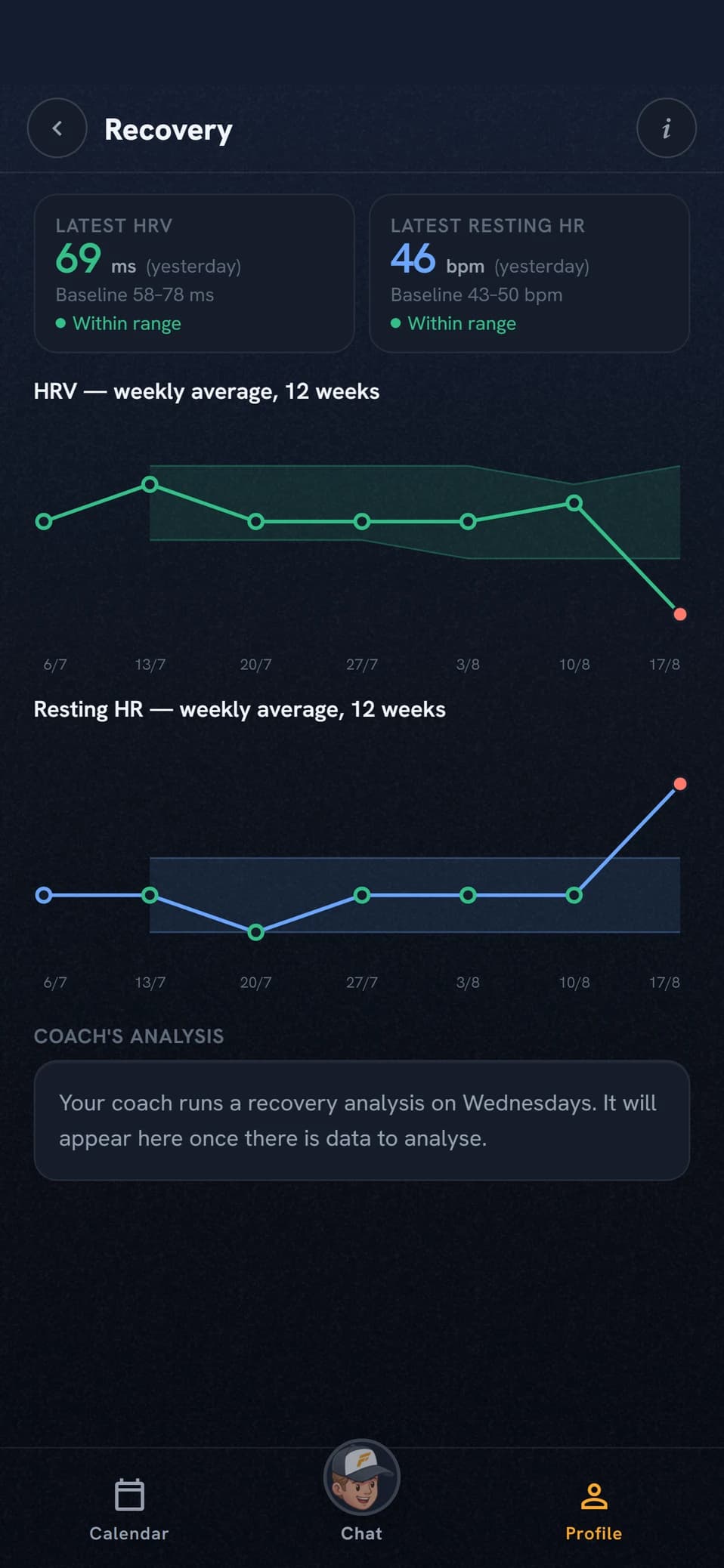
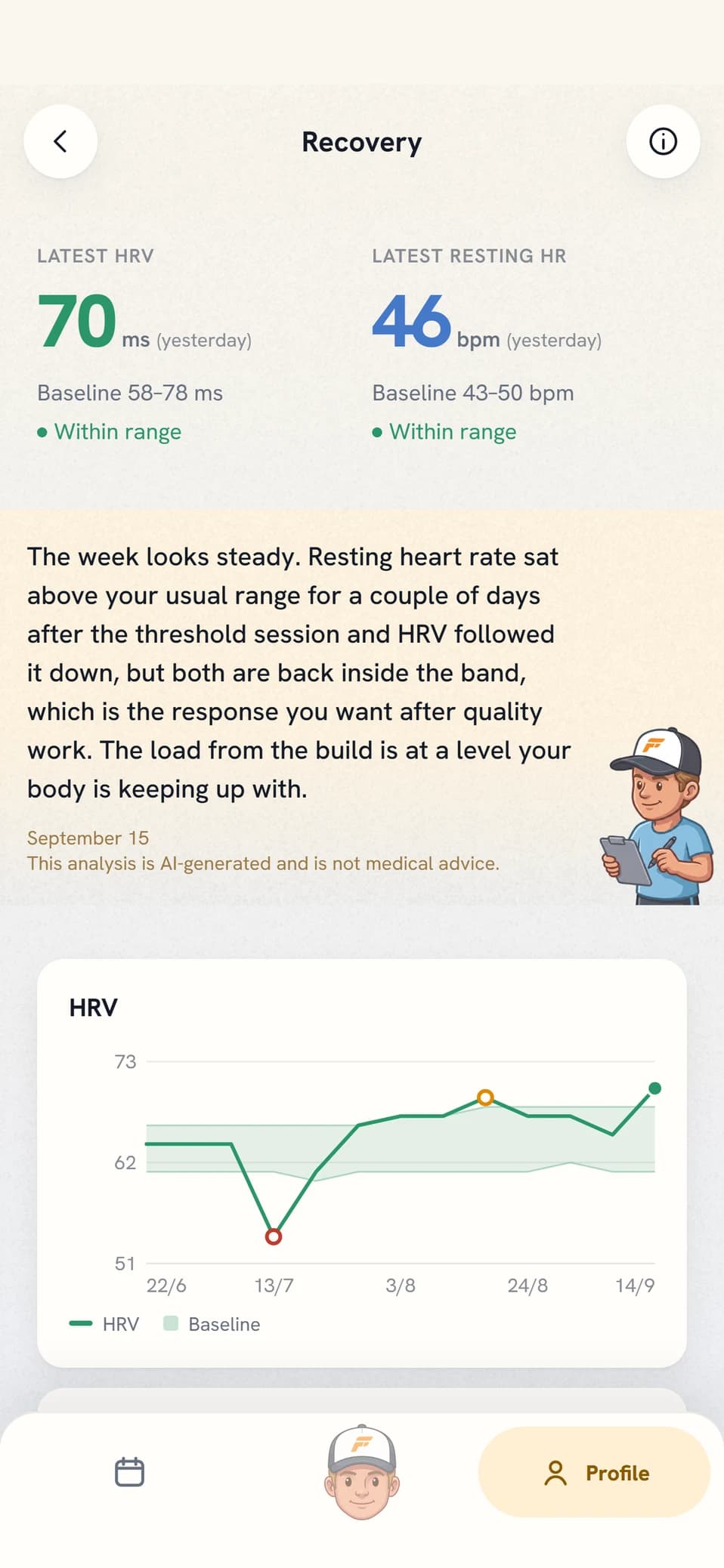
HRV, resting heart rate and sleep. Weight and body temperature are not read in, even if your watch measures them. Injuries and illness you enter in the Health log with body part, severity and start date, or mention in chat. An open entry follows along as a mark on the calendar’s day cards, in the chat date calendar and in the year overview’s weekly cells: the glyph and the colour separate injury from illness, the shade carries the severity, and a filled mark means the running was on hold while an outlined one means you kept running. The log is read by almost everything the coach does, and injuries recurring in the same place are tracked over time.
- How has my HRV looked this month?
- Achilles has been sore since Tuesday
CHAPTER 14
Load and form
Every session gets a load figure from your own thresholds. From it come fitness, fatigue and form.
- 42, 7 and the differenceFitness is a 42-day exponential average of daily load, fatigue a 7-day one, and form the difference between them.
- A bar is a dayThe day’s total load, so two sessions on the same day make one bar. A dip in a curve means that day’s load was below the average, not that a session was skipped.
- Dashed is projectionAfter today your planned sessions are drawn dashed, out to the end of next training week.
- The period only changes the viewToday’s values are identical in all three views. The period only picks how much history you see.
- The coach’s words on the doseUnder the curves sits the coach’s note on the shape you are in and the dose that suits the week ahead, written when the week is planned. It comes only on the weeks there is something to say, and is included on Pro and Elite.
- Mechanical loadThe tab beside it counts the impacts rather than the effort. The volume comes from cadence and time, every step is weighted by how fast you ran, and the figure is in ksteps. Your tolerance is your 28-day base times 1.3, and above 1.5 the week is red. Without cadence from your watch there is nothing to count.
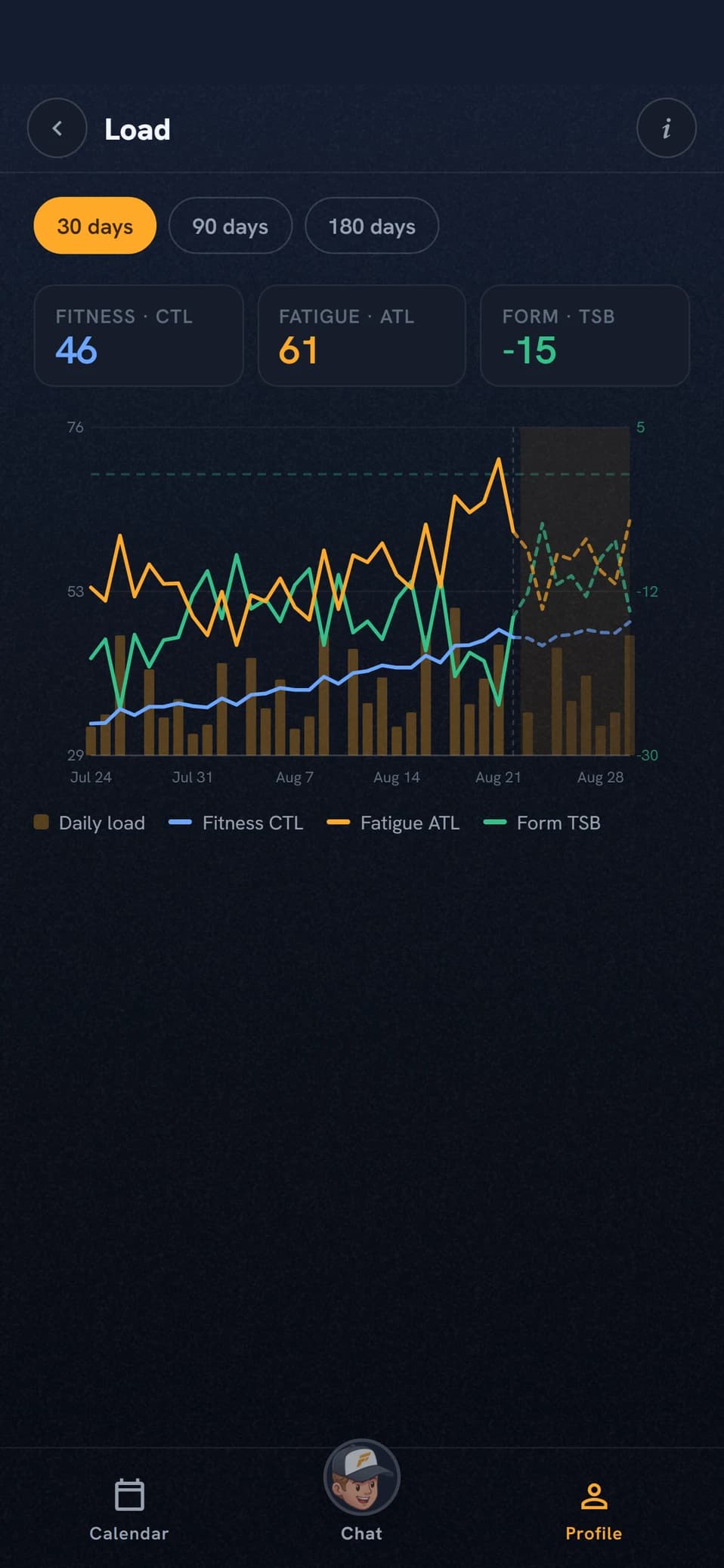
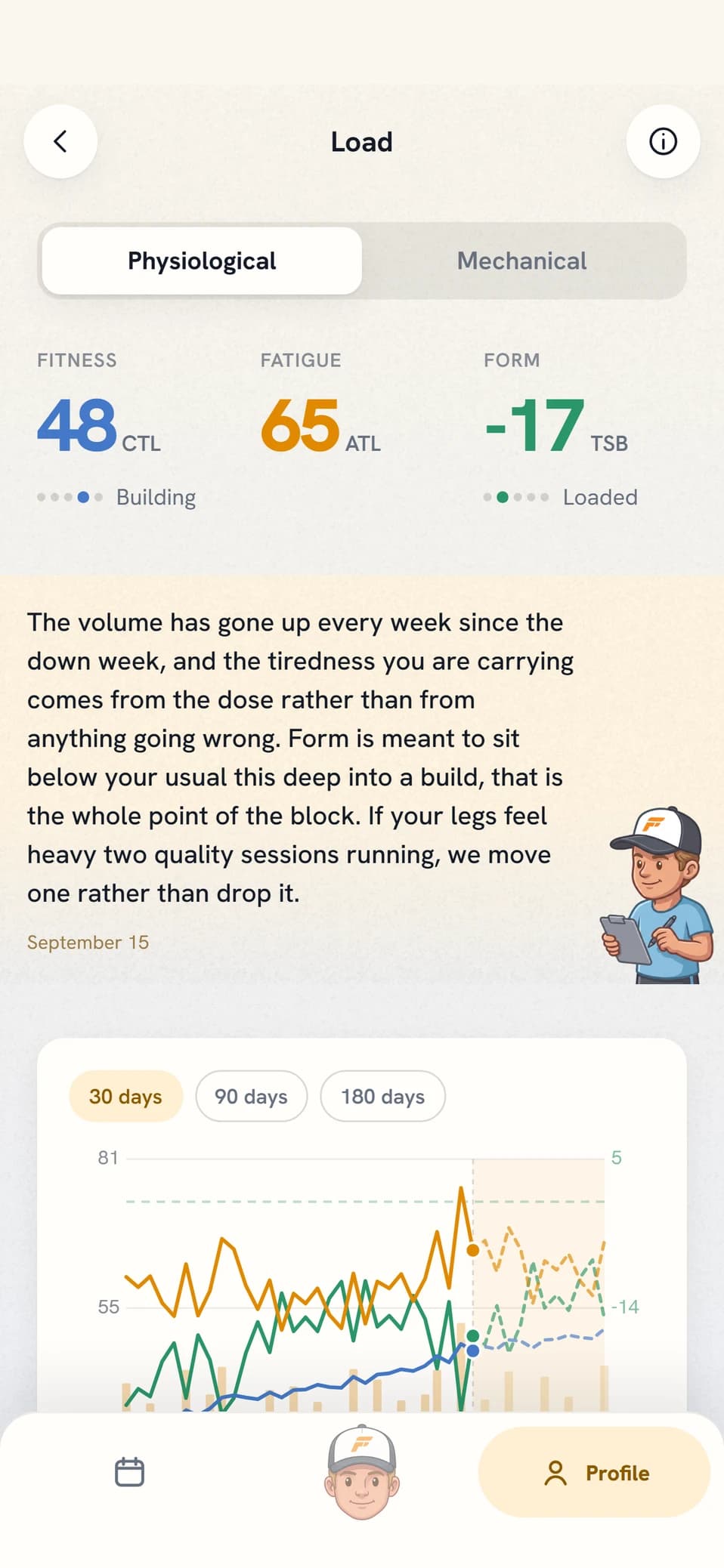
The coach brings these numbers up when they explain a decision. The numbers are on the screen, and in chat the coach uses them when they explain a decision or answer your question, at the depth your level implies. It leads with what they mean for you and never turns a message into a readout. The curves are not house inventions either: they are the Performance Management Chart, calculated on your own thresholds, and the app names the source in the view.
- Am I ready for a hard session tomorrow?
- How is my form for the race?
CHAPTER 15
The analyses and the deep dive
Three write-ups at different range: the session automatically, the session in depth, and you as a runner across your whole history.
- The workout analysisWritten automatically when a workout syncs, as long as the workout is recent. Old imported history is not analysed after the fact. It does not change the plan. If something should move it says so as a suggestion, and the change happens in chat. Quality sessions are set against similar ones up to two years back, but recent outweighs alike, and the comparison is work against work rather than a whole-session average against a single rep.
- The deep diveA walk-through of one single session that you order yourself, from a button on the workout. It reads the full time series, the laps and the most comparable sessions in detail, and builds on the workout analysis instead of repeating it. The result is a card on the workout and a short heads-up in chat. The document never asks you to do anything, but bring it up in chat and the coach can pull the whole text rather than just the heads-up. It costs energy every time, requires Elite, and cannot be run twice.
- The deep analysisA summary plus strengths, weaknesses, training patterns and recommendations, with your whole history as the material. It also sets Maintain or Develop on each of the five performance factors, with two sentences on why, and names the one holding you back most against the race you are aiming at. If your circumstances limit you more than your body does, or too little is measured, the coach writes that instead of pointing.
- Automatic deep analysisEvery three months on Pro and every month on Elite, on the same day of the month you subscribed. The server finishes even if you close the app. If you would rather not wait for the next run there is a button in the analysis view, and it requires Elite.
- What the coach carries forwardAn analysis is not a document that gets filed away. The summary, the strengths and the weaknesses follow into planning, chat and the race plan, and so does the verdict on the five factors. What the coach decides to act on it writes down as a commitment, while what it only suspects becomes a hypothesis it watches until your training settles the matter.
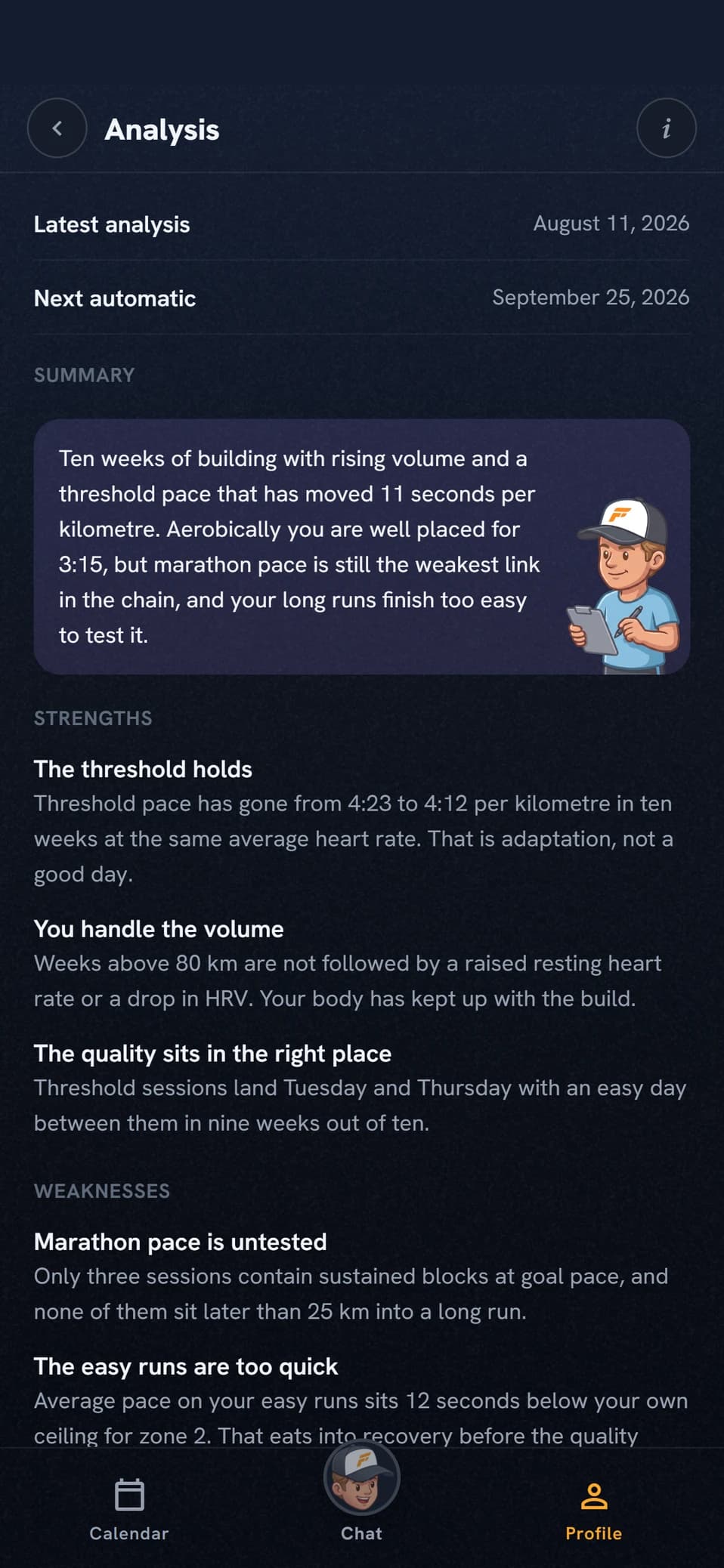
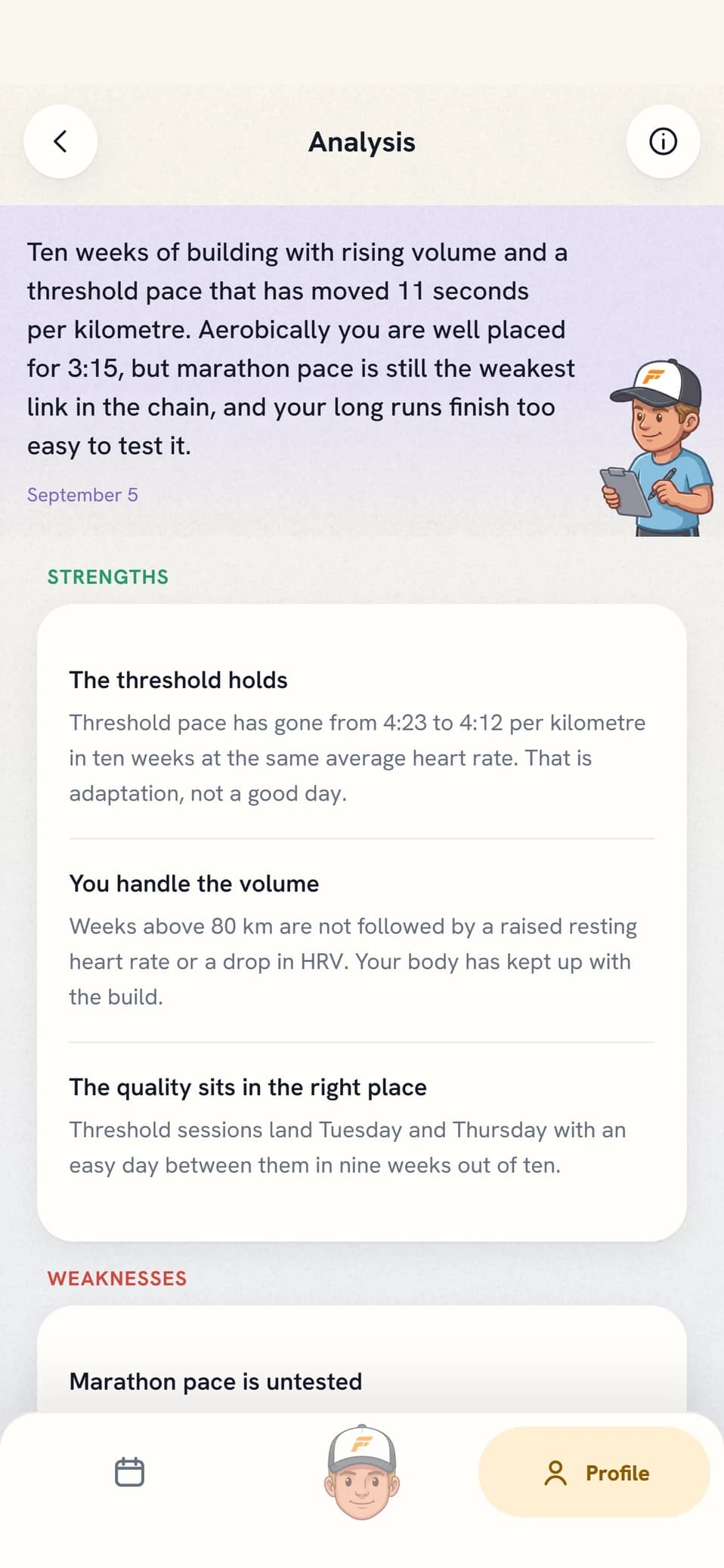
A deep dive and the deep analysis are not the same thing. The deep dive takes one session, the deep analysis takes you as a runner across your whole history. They also live in different places: the workout analysis in chat and under the session, the deep dive as its own card on the workout with only a pointer in chat, and the deep analysis under Analysis in your profile.
- What does my latest deep analysis say?
- What should I prioritise for now?
CHAPTER 16
Self coached
A mode where you build the weeks yourself and the coach stops writing in the calendar. Instead it reads your plan and answers with suggestions you approve line by line.
- Dictate the sessionWrite what you want added. The coach reads it but does not write it.
- It becomes a cardThe coach answers with a suggestion you take a stand on, never with a change already made. Before each new week there is also a review of what you have planned, on the same evening as regular weekly planning. That one is included.
- Line by lineEach row on the card is approved or declined on its own. The card is valid to the end of the week, and a new one replaces an unanswered card.
- The rest staysBlock structure, zones, workout analyses, check-ins and the coach’s weekly notes work as usual. The only thing that moves is who writes the sessions.
- If you plan in Intervals.icuTurn on Get workouts from Intervals.icu under Connections and the runs you put in there are mirrored into your calendar, tagged with the provider’s name. You can read them here but not change them, because the change belongs where you created the session. Otherwise they are ordinary planned sessions: the coach plans around them, they show in the form curve, and the completed run links to them as usual.
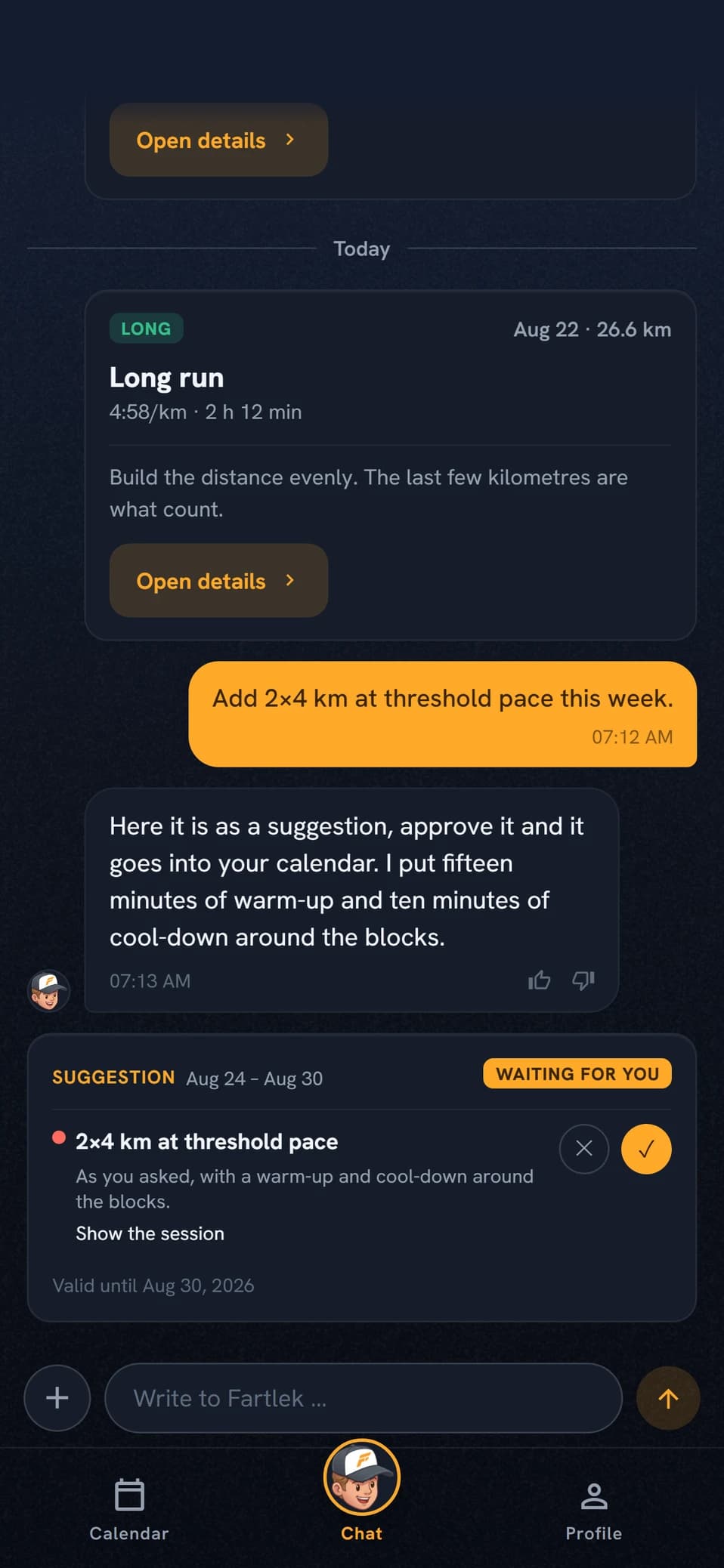
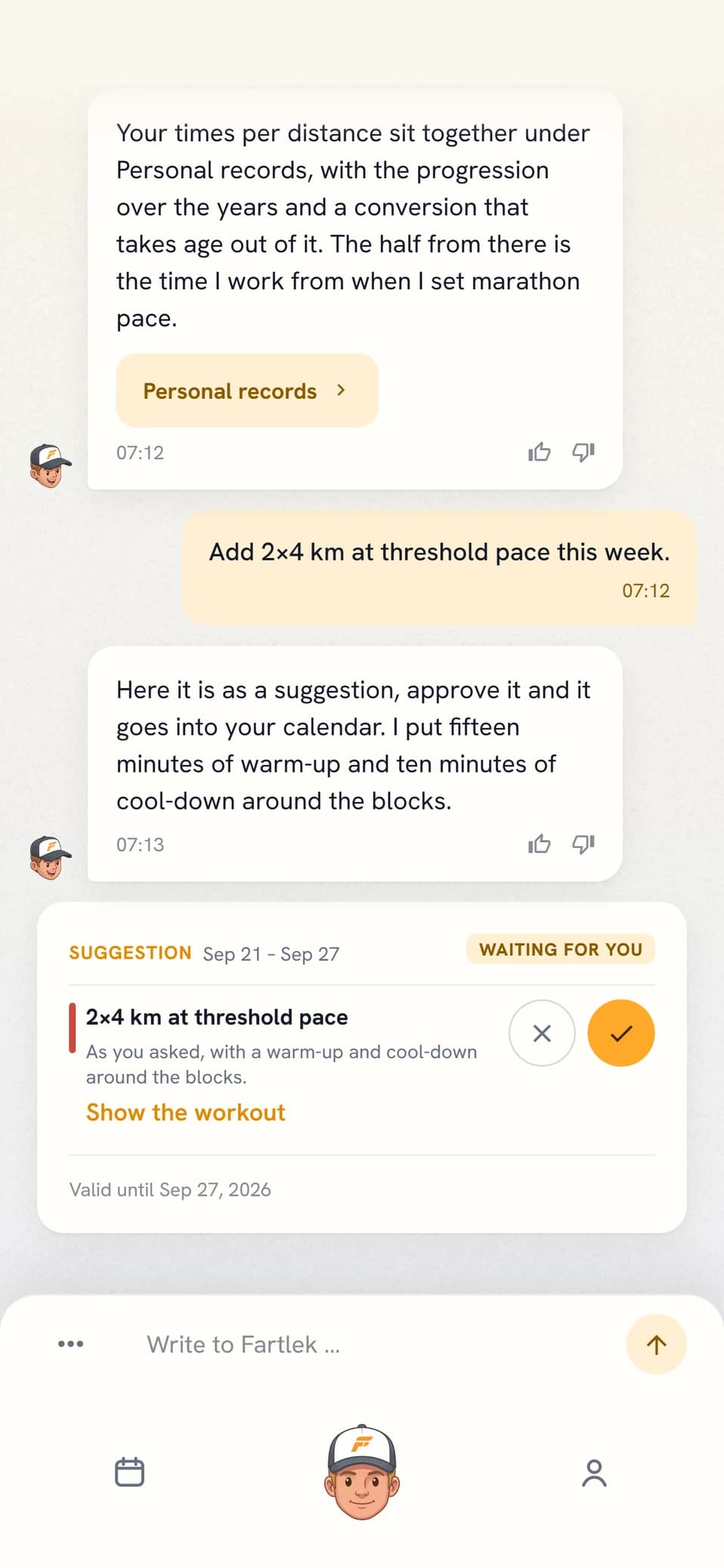
The mode requires Elite. That covers the whole mode: the coach’s reviews and suggestion cards, but also the workout builder, the templates and manual editing in plan mode. If you have a coach planning for you, changes go through chat instead, where the coach can take a position on them.
- Add 2×4 km at threshold tomorrow
- Look at next week, is it too heavy?
CHAPTER 17
Energy and tiers
Energy is the budget for what you ask the coach for. What it does on its own is free on the paid tiers.
- It comes back, day by dayOn Pro and Elite a charge stays for a good week and is then released. No weekday resets anything, and the line under the meter says when the next portion is back.
- Free trial is seven daysSeven days from your first plan. Weekly planning requires a synced run during the trial. When the week ends, the coach can deliver a closing deep analysis if you also have five runs in your history from the past six months. It arrives at the next available run, not at the exact expiry time. Without enough data the trial closes without an analysis. Coaching stops at expiry, but your calendar and data stay.
- The coach’s work is includedWeekly planning, reminders, workout analyses and the race plan are included on Pro and Elite and during the active trial. The weekly notes and the weekly estimate of the five factors are included on Pro and Elite. The trial chat allowance does not refill. Included coaching continues when it runs out.
- Bought energy does not run outEnergy packs are sold only to Pro and Elite. Extra energy sits in its own pot and is used once the weekly allowance is gone. An existing Free trial balance stays and becomes available on upgrade; it does not open coaching after the trial.
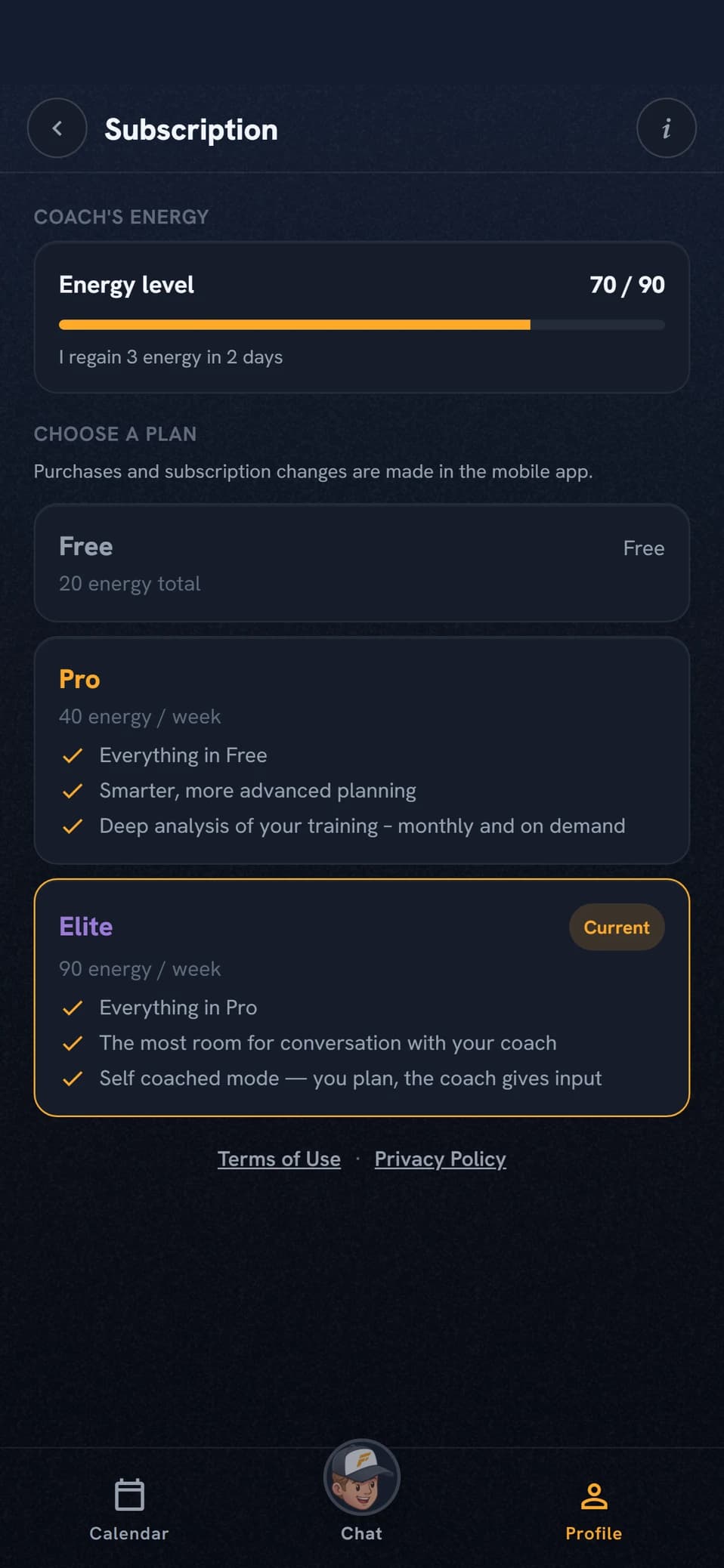
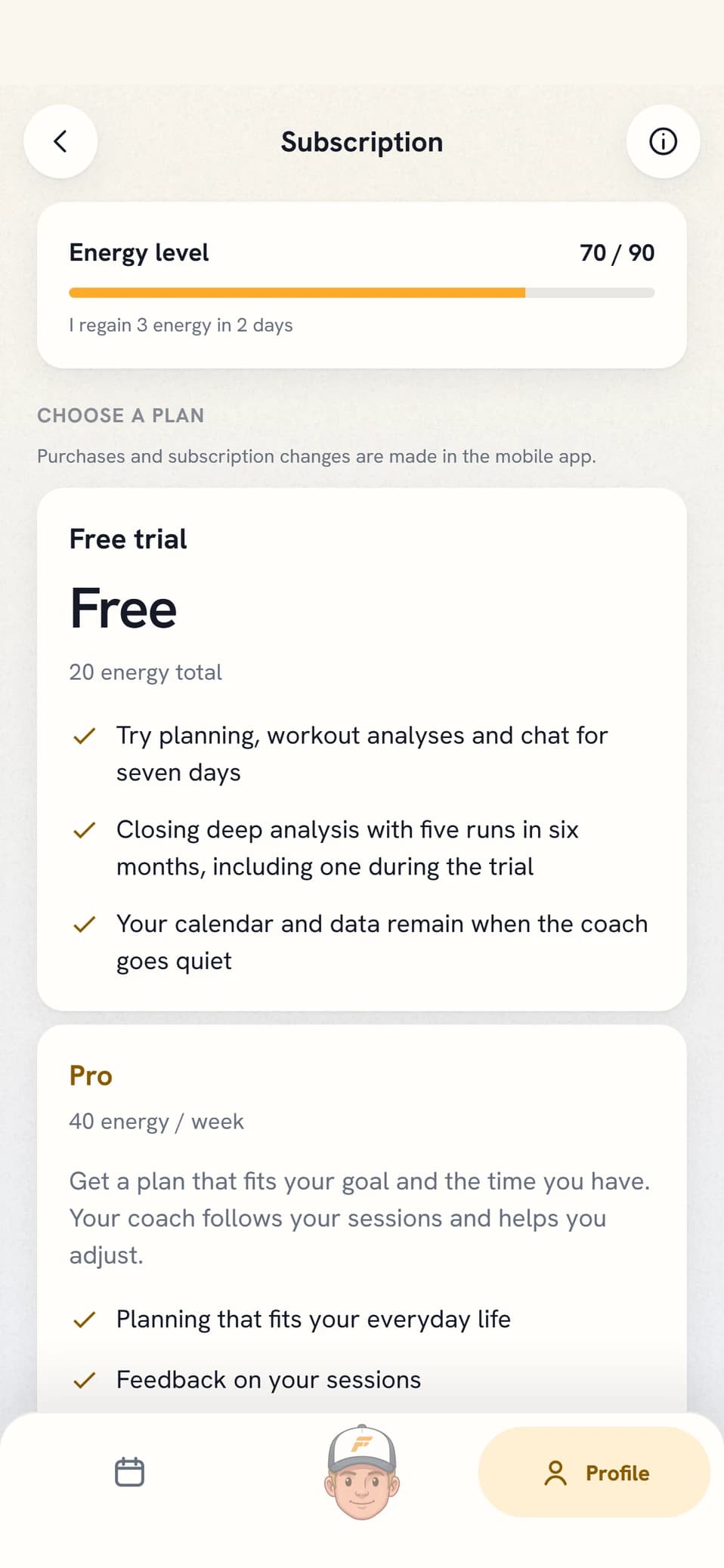
The deep analysis is the most expensive single action. The button requires Elite. Automatic runs are included: every three months on Pro, every month on Elite, and at trial close with enough history. A workout deep dive requires Elite and costs every time. If something you paid for fails, the energy is returned.
- What is my energy spent on?
- Do I need Pro for this?
FREQUENTLY ASKED QUESTIONS
Questions about how the app works
Do I need a watch?
In practice, yes. Coach Fartlek reads your training through Intervals.icu, which in turn pulls it from Garmin, Coros, Suunto or Polar. The Intervals.icu account is free. You can log sessions by hand, but then you lose heart rate, curves and recovery data, and activities that reached Intervals.icu via Strava cannot be read at all.
When is my week planned?
At 21:00 on the last day of your training week, in your time zone. If your week starts on Monday that is Sunday evening; if it starts on Sunday it is Saturday evening. The coach writes exactly fourteen days ahead starting tomorrow, and never touches the week in progress.
How far ahead is training planned?
Blocks are laid twelve months out and redrawn at every season planning. Weekly targets are set for blocks starting within sixteen weeks. Concrete sessions are written two weeks at a time.
What happens if I miss a session?
It stays in the calendar marked Missed. The next planning run decides whether it goes back in, gets softened or gets dropped. Repeated misses are read as the plan being too optimistic and the plan is eased.
Can I change the plan myself?
Ask for the change in chat and the coach makes it in the same reply. If you would rather build the weeks yourself, that is the self coached mode, which requires Elite. The coach’s plan is not edited by hand alongside the coach.
I deleted a workout in Intervals.icu, why is it still here?
Run Resync history under Connections and it is cleared all the way: the workout leaves the calendar, the coach’s analysis of it is removed from chat, the form curve is recalculated, and a duplicate left behind is relinked to the plan. So completed workouts are not deleted in the app, but where they were created.
Can the coach plan my strength training?
Yes, if you turn strength on under Training constraints. The session becomes a row in your calendar with exercises, sets, reps, load and rest, plus a muscle map of what it works. Under Conditions and Equipment you tick what you have access to, and the coach stays inside that list. Bodyweight always counts, so an empty list gives you bodyweight sessions rather than none. Strength sessions go to your Intervals.icu calendar as readable text, not as something the watch can run step by step.
What health data is read in?
HRV, resting heart rate and sleep duration, all through Intervals.icu. Weight and body temperature are not read in even if your watch measures them. The values are compared against your own baseline from the last three months. Injuries and illness you enter yourself, or mention in chat. Gender and birth year you fill in yourself and can leave empty; they sharpen the reasoning about heart rate and sensible target times.
Where do my training zones come from?
They are estimated from your own training and your races. The coach reviews your threshold every week, and more data does not have to mean new values. They are not imported from Intervals.icu and cannot be typed in by hand, but you can ask the coach to recalculate them.
Can my watch steer on heart rate instead of pace?
Yes, on easy runs and, if you want, on your threshold reps as well. You pick it under Settings and Connections, and the row is there once Intervals.icu is connected and your workouts are sent on to the watch. The target is written as a percentage of your threshold heart rate in Intervals.icu, with the same ceiling as your heart-rate zones in the app. Nothing changes until you choose it yourself, and the first time you need to reconnect Intervals so the app may read your heart-rate values.
Can I turn notifications off?
Yes, in your phone settings. The app has no notification setting of its own, so it is all or nothing. What you do control in the app is your time zone, which decides when things land.
What happens if I go quiet for a while?
If you stop replying and no workouts sync for a couple of weeks, the coach pauses itself rather than keep sending. A single synced workout is enough to keep it going, and the next message you write starts it again.

Rather try it yourself?
Free to start. Requires an Intervals.icu account.